⭐️ Releases - Custom Space Templates, AI Agents in Wrike Labs, New Guage Widget, and More! (10/13/2025)

TL;DR: Custom Space Templates, Community templates, and AI Agents are now live! Dashboards get a new gauge widget. Wrike & Klaxoon integration lets you add whiteboards and embed dashboard widgets. Klaxoon Whiteboard now has beta AI features for board creation and quick Wrike item conversion. Plus, we’re introducing the new Wrike Whiteboard by Klaxoon add-on and a Viewer role for easier collaboration, as well as updated Wrike AI usage tracking and unlimited access to AI features through March 31, 2026.
Feature Updates
- Custom Space Templates: General Release and More ⚡️
Custom Space Templates are now available to all customers on Business accounts and higher! This release brings everything introduced in our Labs announcement. For instructions and more details, check out our Help Center article.
1. Wrike Solutions in Templates & Solutions Center
In our updated Templates & Solutions Center, you’ll find a new Wrike section featuring a variety of templates, including Client Service Delivery workflow, Manufacturing Product Lifecycle, and more. Explore these options to find the best-fit templates for your needs.
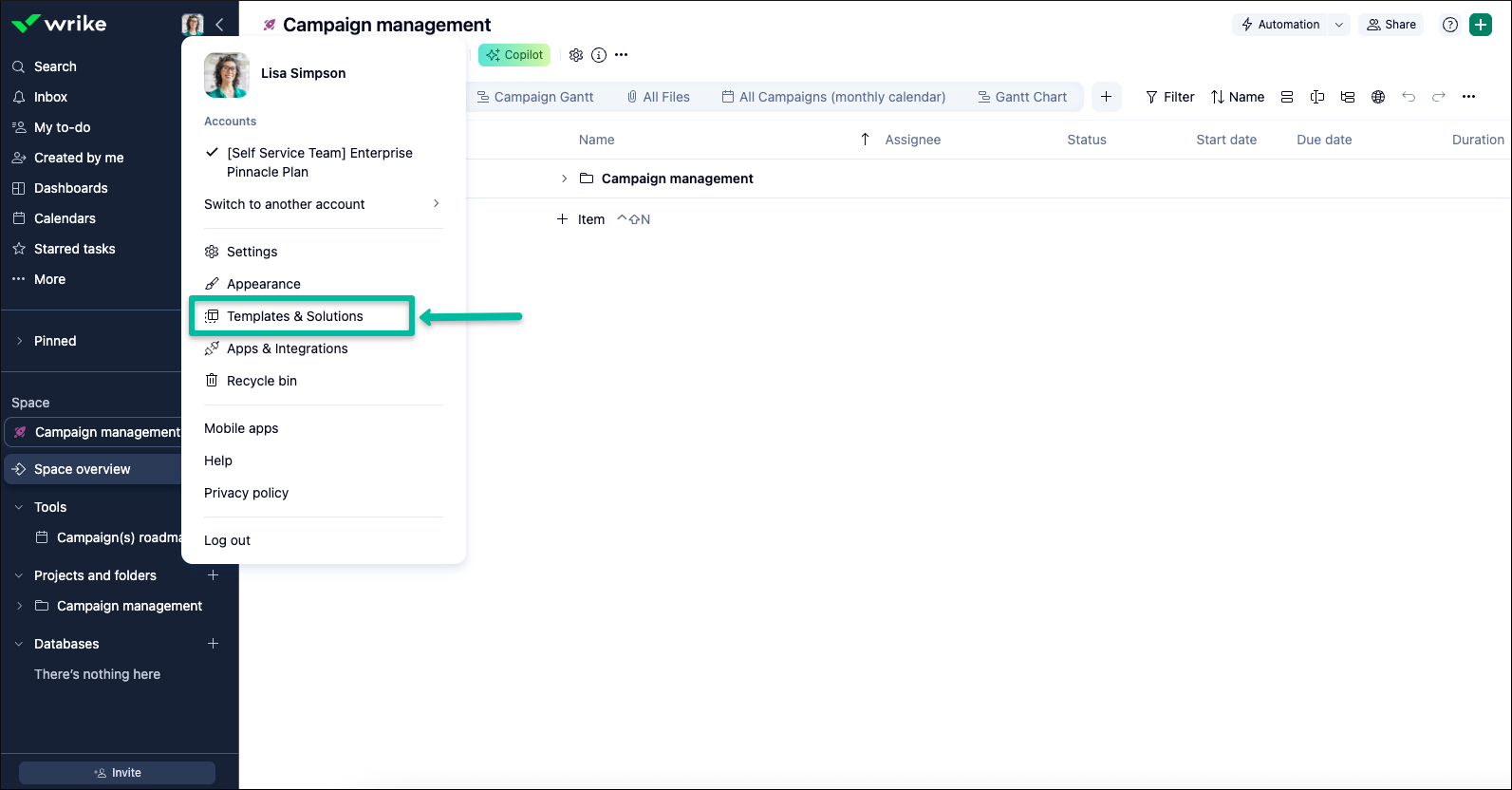
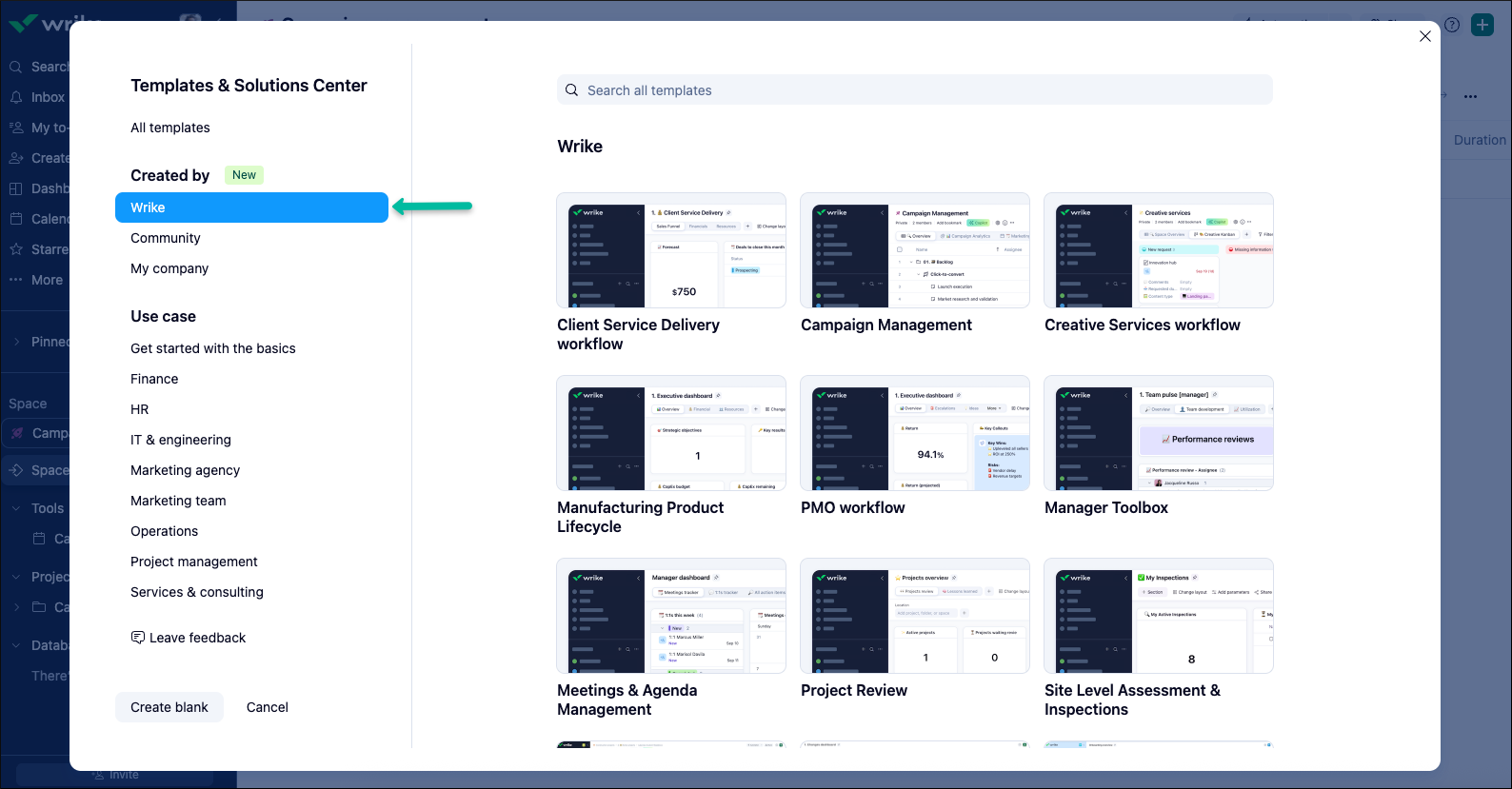
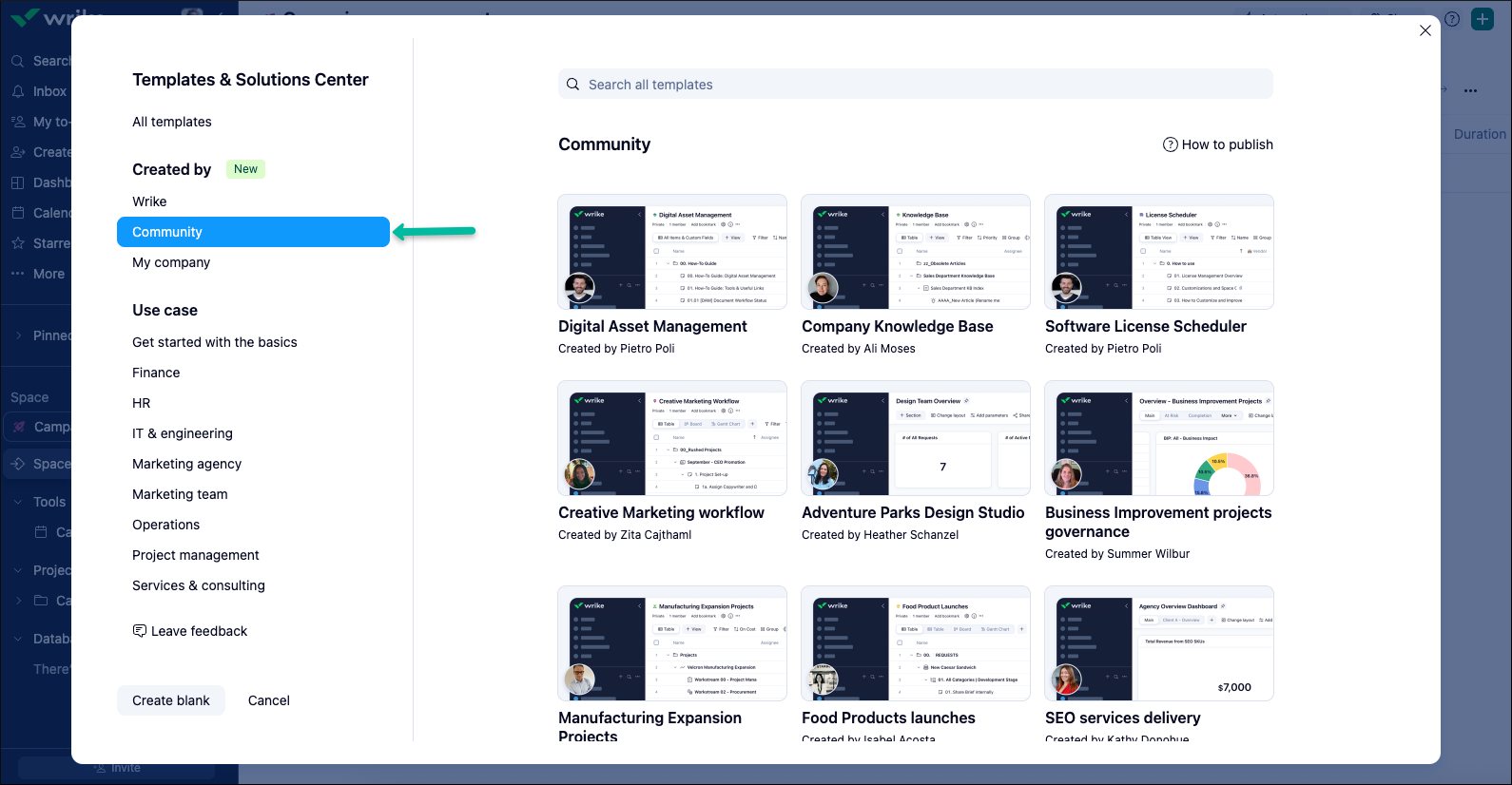
2. Community Templates
We’re excited to announce the introduction of templates created by our customers! Visit the Community section in the Templates & Solutions Center to discover a variety of options, including Digital Asset Management, Company Knowledge Base, and more.
- AI Agents: Intelligent Automation Now in Wrike Labs 🚀
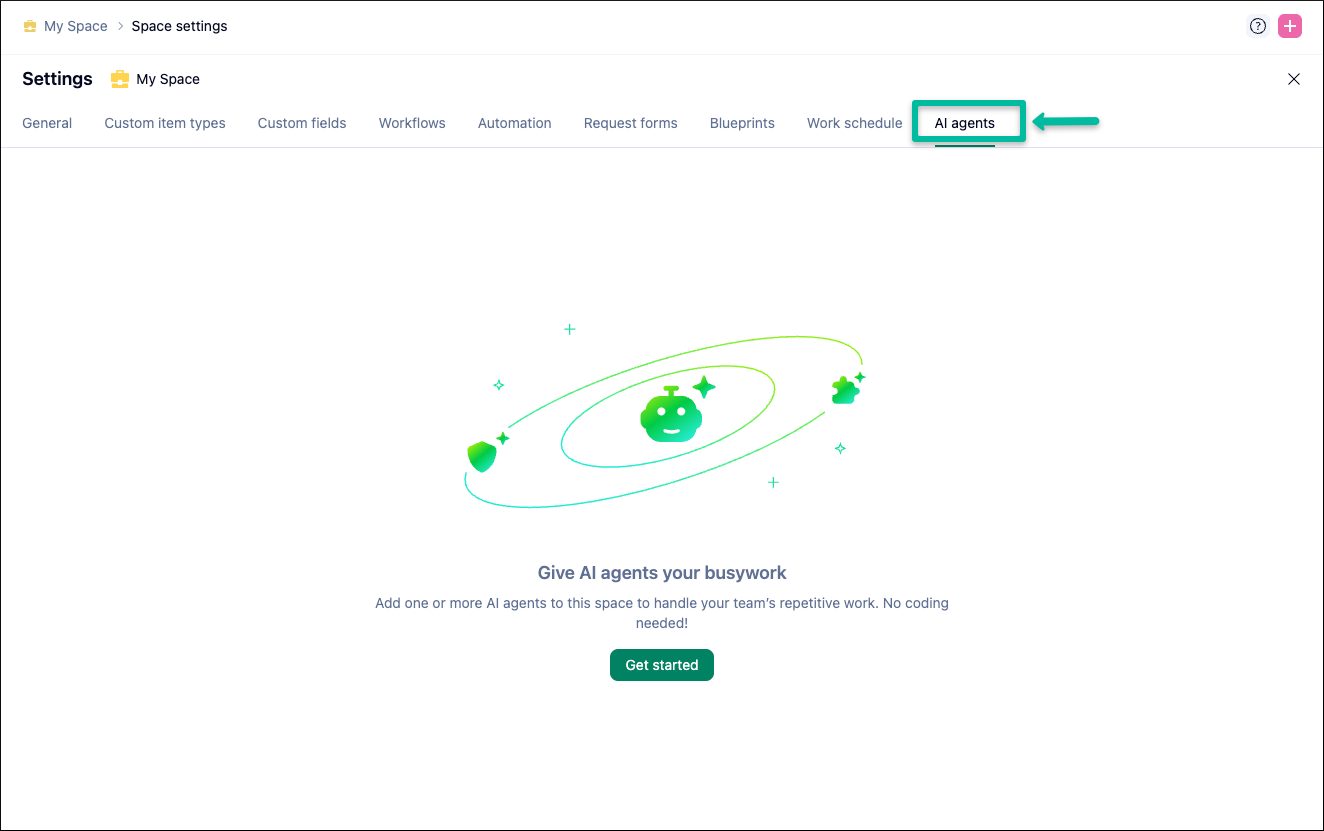
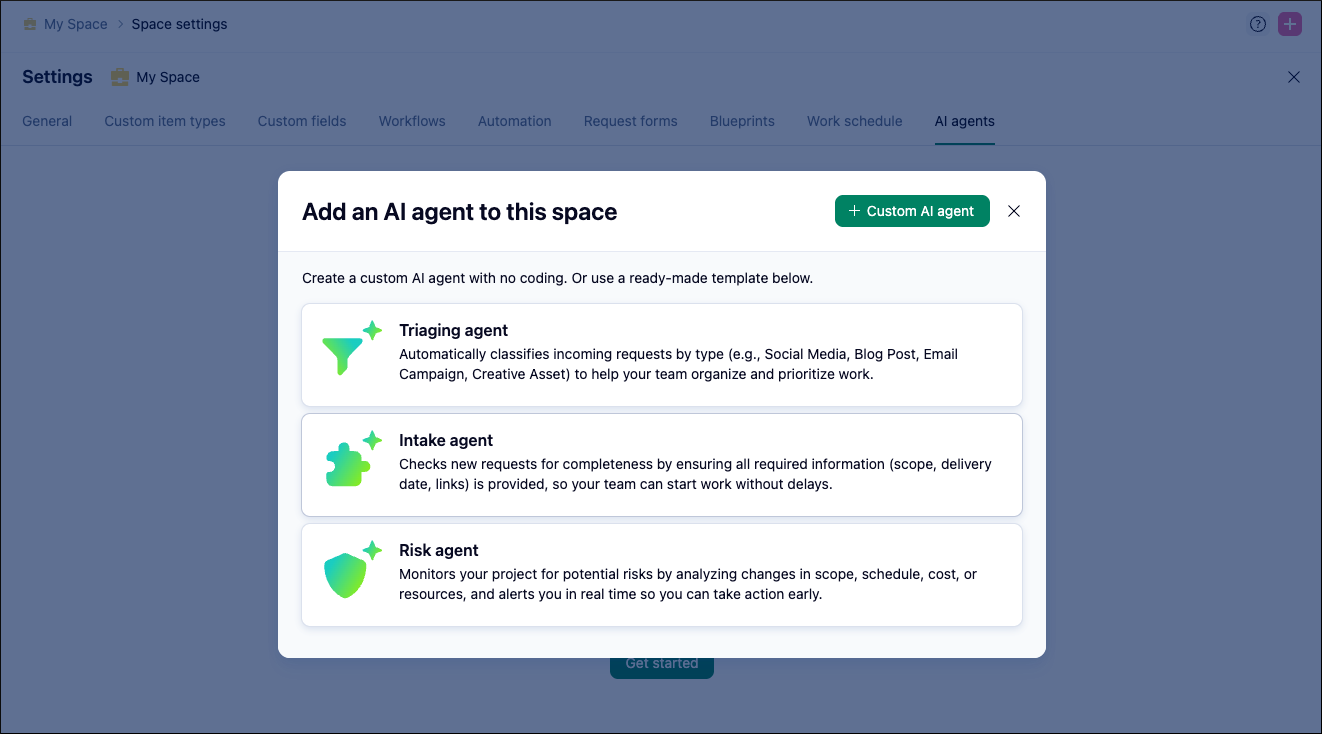
Boost team productivity with AI Agents—our latest Wrike Labs feature! These smart automation tools observe your projects, analyze context, and take action, helping teams stay efficient and proactive. Explore built-in agents for risk reporting, task triage, and intake validation, or create your own custom agent. Enable Work Intelligence Preview in Wrike Labs to give your workflows a boost. For setup details and more information, check out the detailed Community Post.
- Dashboards: New Gauge Widget and More 🔥
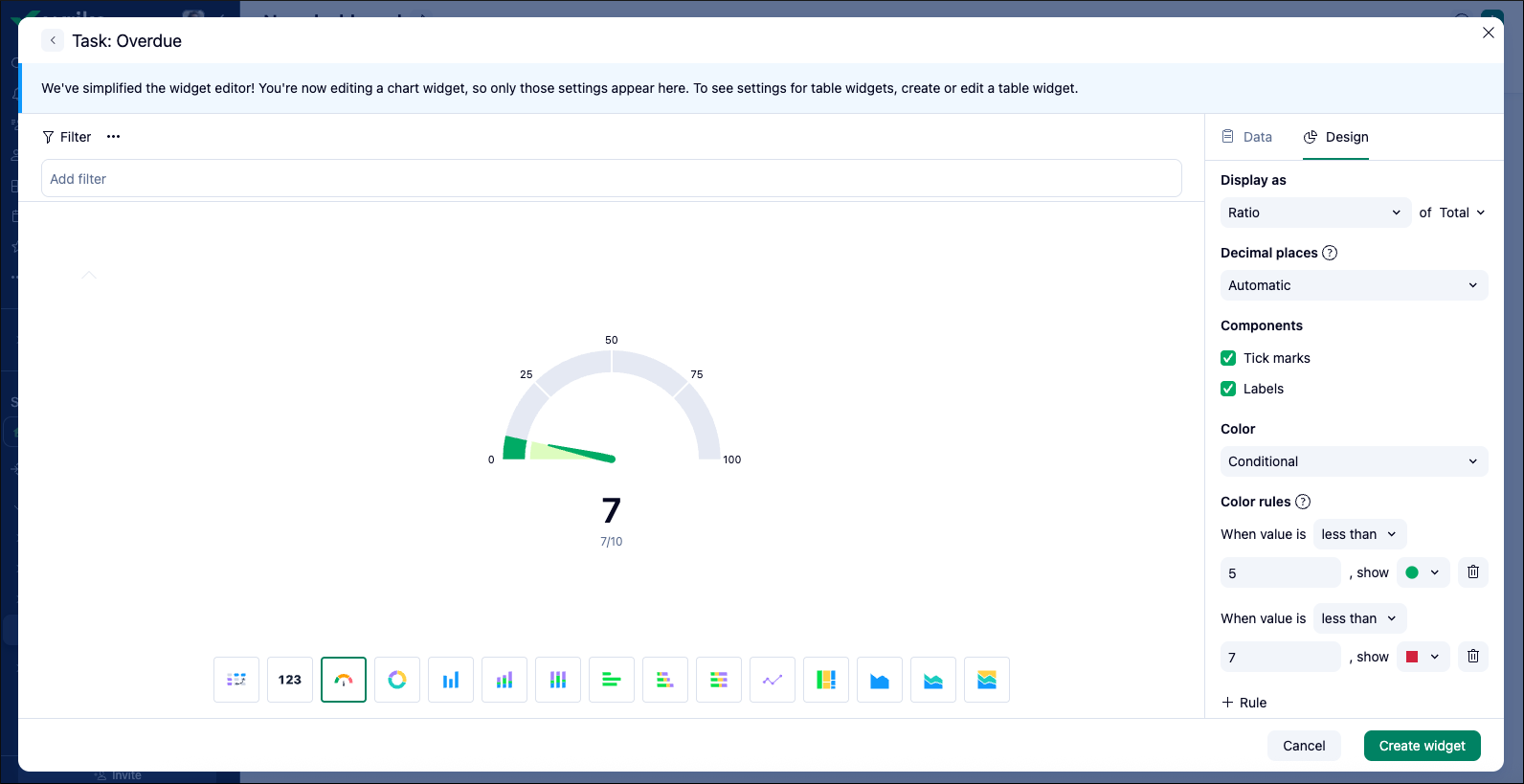
Enhance your dashboards with the new gauge widget, designed to visually communicate key KPIs and track progress effectively. The gauge widget lets you display ratios, absolute numbers, and percentages at a glance. Customize its appearance with conditional coloring, adjustable tick marks and labels, and a wide selection of colors to suit your needs. For more details, check out the detailed Help Center article.
More to Know:
-AI Highlights now support parameters, and offer faster load times.
-Pivot Tables & Charts: Users can wrap text in pivot tables, and new filtering categories continue to be introduced for charts.
- Wrike & Klaxoon Integration: All New Updates ✔️
1. Klaxoon Whiteboard Now Available in Wrike Tools
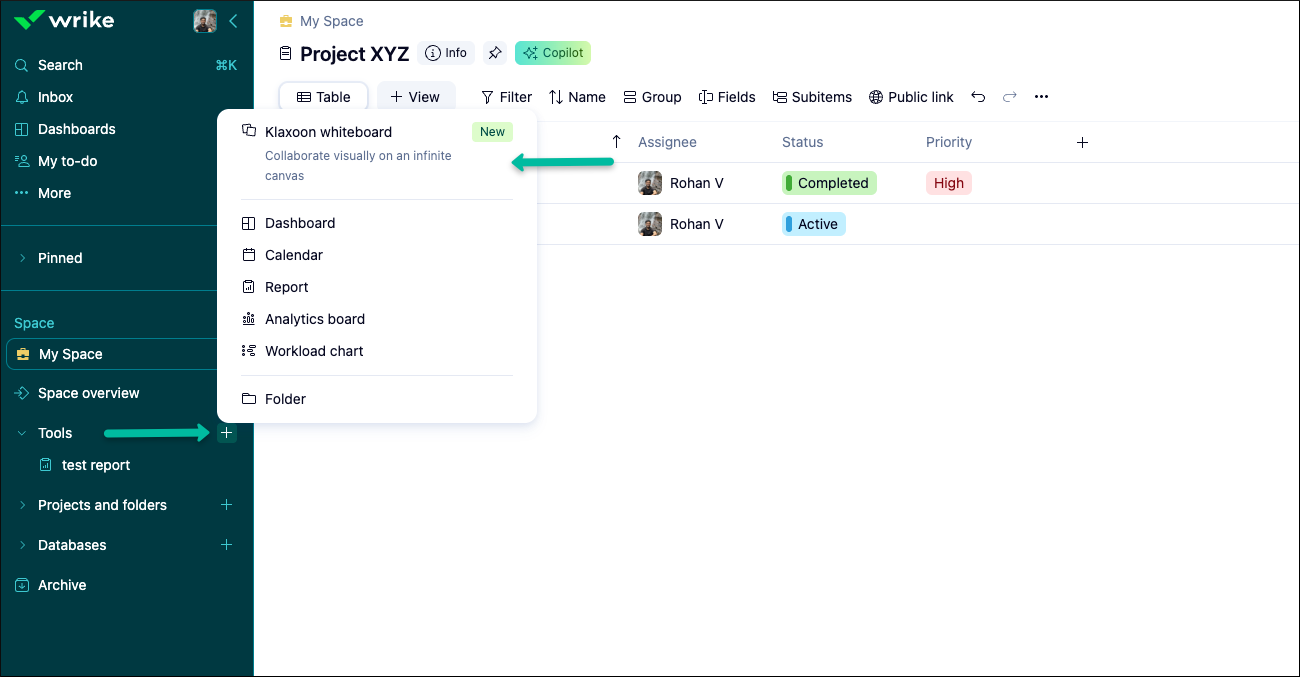
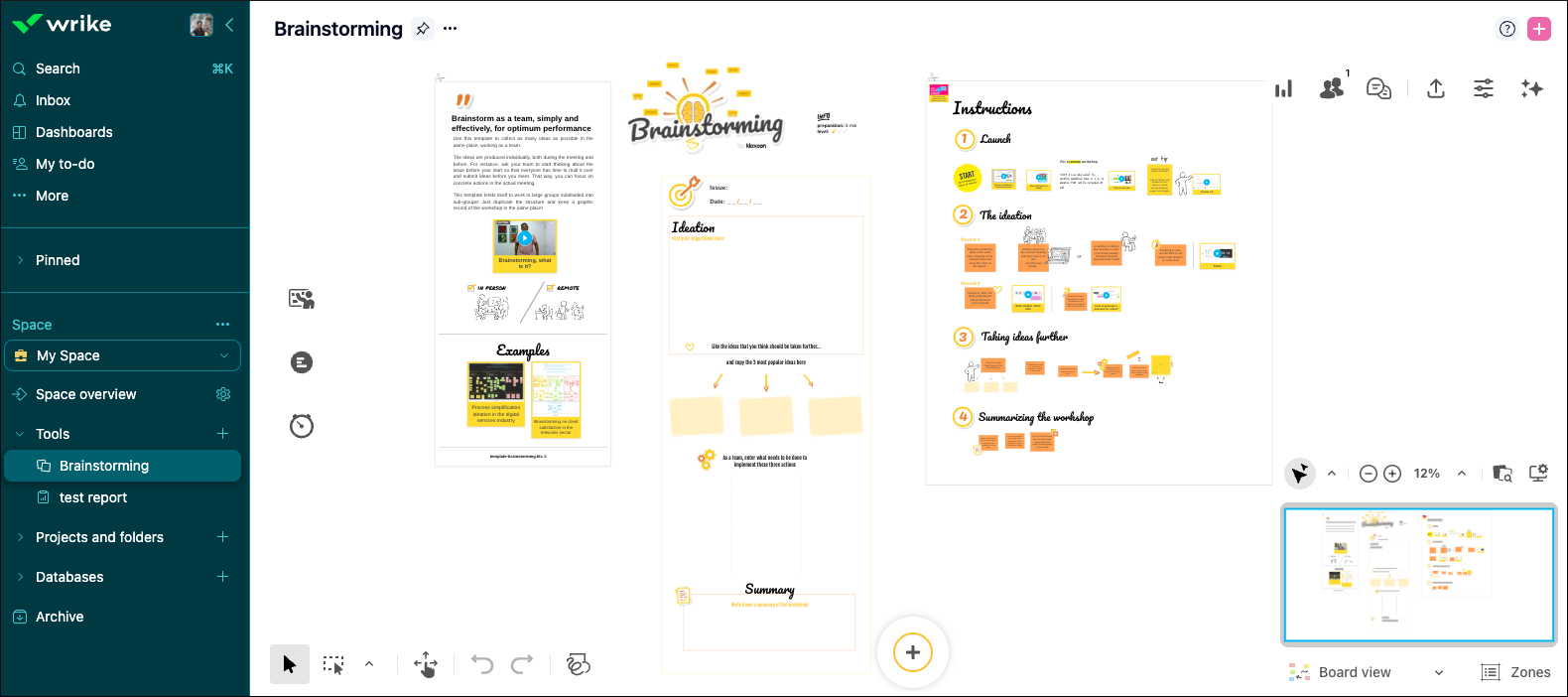
You can now add Klaxoon whiteboards to your Tools section in Wrike, making it easy to access and manage your boards without leaving your workspace.
-This feature is available on Business and higher plans with the Klaxoon add-on.
-It is accessible to Owners, Admins, and Regular users.
-All space members can open boards, but only space admins can add them.
For more information, check out our detailed Help Center article.
2. Add a Wrike Dashboard Widget to Your Klaxoon Board
You can now display a live Wrike dashboard widget directly on your Klaxoon board! The embedded widget stays up to date with Wrike, ensuring your team always sees the latest information.
-Simply copy the link to your dashboard widget from Wrike and insert it into your Klaxoon board.
-The widget can be resized, moved, duplicated, and locked to fit your needs.
For detailed instructions, please see our Help Center article.
📌 Please Note: This feature is available for PRO Klaxoon users who have the Wrike integration enabled.
- Klaxoon Whiteboard: New AI Features (Public Beta) ✨
We’re excited to announce two new AI features for Klaxoon Whiteboard designed to make your experience smoother, easier, and faster!
1. AI Whiteboard Assistant
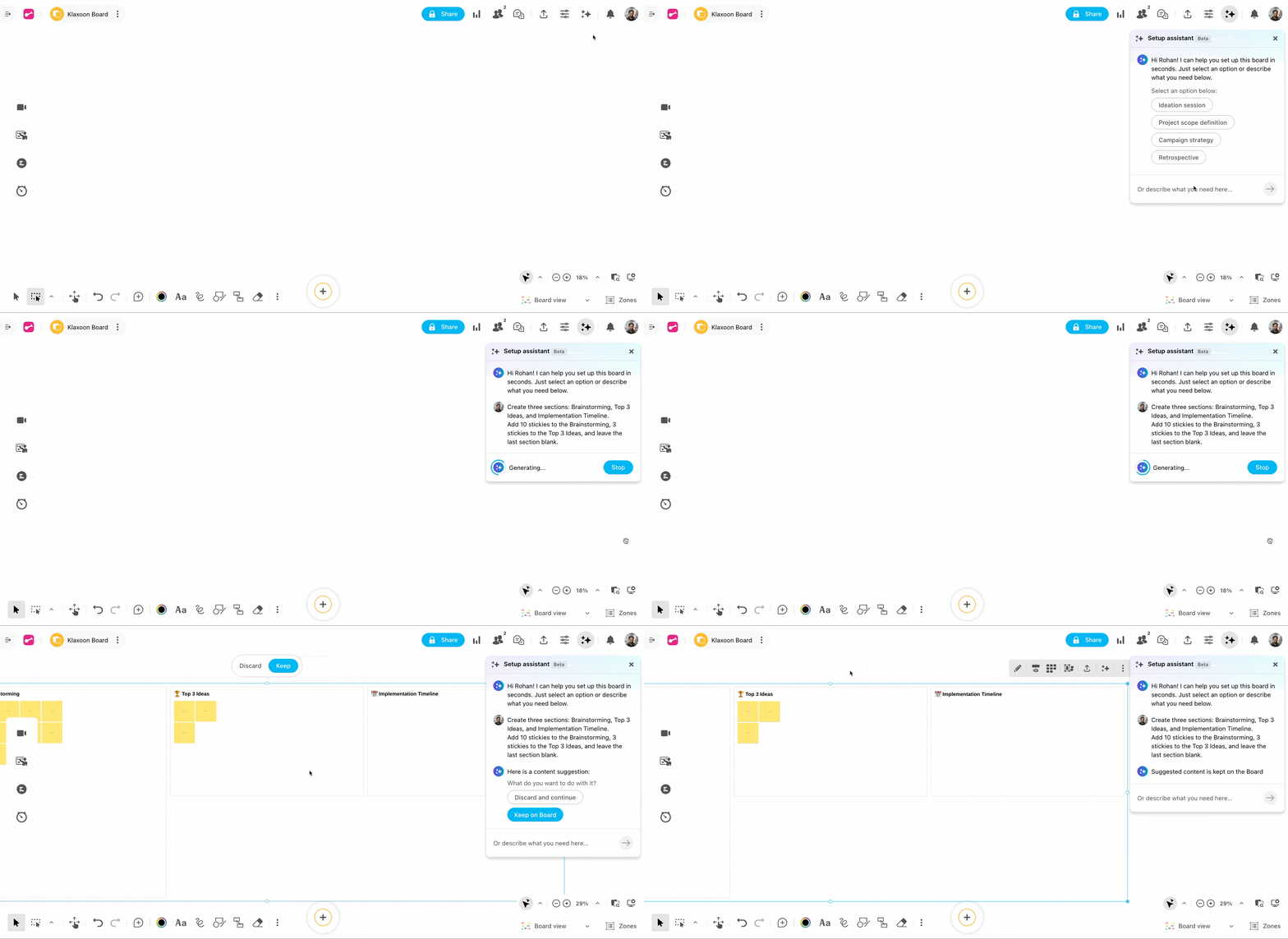
The AI assistant leverages natural language prompts to create customized board structures. It can automatically generate building blocks with titles, text, and stickies for common use cases such as ideation sessions, retrospectives, and project planning.
2. Convert Whiteboard Content to Wrike Items.
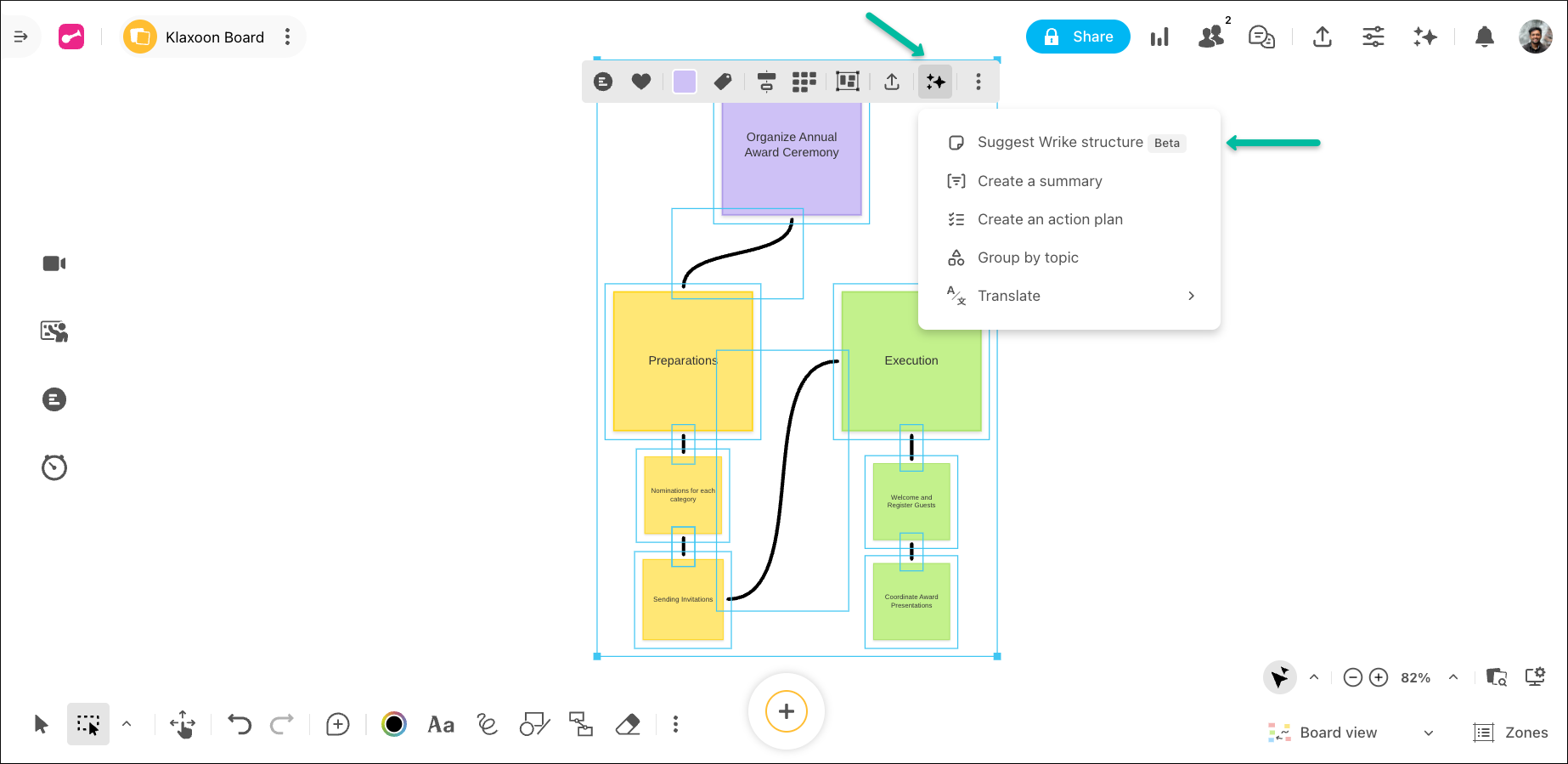
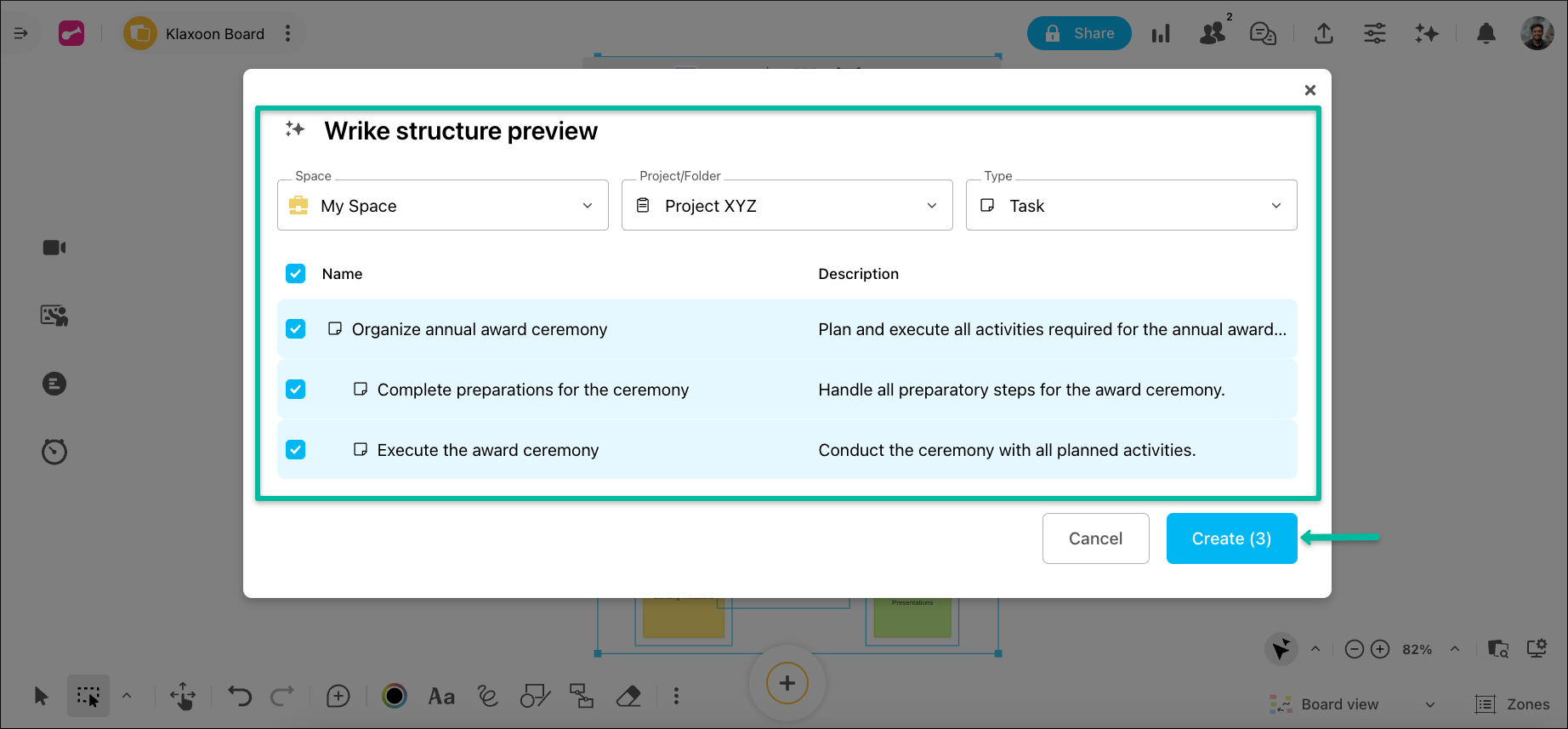
AI analyzes selected visual content on your whiteboard and automatically suggests structured work items like projects and tasks, which can be created in Wrike with a single click.
Learn more in this detailed Help Center article.
- New Add-On: Wrike Whiteboard by Klaxoon & Viewer Role 🙌
We’re excited to announce Wrike Whiteboard by Klaxoon—a whiteboarding-only add-on designed specifically for Wrike users! Plus, we’re introducing a brand new Viewer role to make collaboration even smoother for everyone.
What’s included?
-Create and share unlimited Boards & Networks
-Use all available Board templates
-Import boards with ease
The new Viewer role allows more people to participate, striking the perfect balance between involvement and control. To learn more about user rights, check out our Help Center article.
Please note: This is currently available only to users on Business Plus, Enterprise Standard, or Enterprise Pinnacle plans.
- Wrike AI Pricing & Usage: New Tracking and Allowance Details 💫
We’ve rolled out a new overview for Wrike’s AI features usage, splitting them into two tiers—AI Essentials and AI Elite. Now you can easily track your team’s monthly usage allowances for each tier right in Account Management. Don’t worry if you reach the limit—admins will be notified, and you’ll have unlimited access to all AI features until March 31, 2026.
For all the details, check out the full Help Center article.
Community News
- New AI-Powered Productivity Updates ⚡️
Check out our latest Community post in the Wrike AI forum for details on all the new AI enhancements for Automation, Request Forms, and Mobile Apps.
- Wrike-Up Wednesday: If You Could Be Anything…! 👩🎨
This week, we want to know—if you could try any job in an alternate universe, what would it be? Whether it’s a secret passion or a wild dream, share the career you’d love to experience and why it inspires you! Join the conversation in the main post 👈
Rohan V Community Team at Wrike Wrike Product Manager Become a Wrike expert with Wrike Discover
Rohan V Wrike Team member Become a Wrike expert with Wrike Discover
WOWOWOWO how many updates!! Love them :)
These are fun displays! I'm going to have to use the gauge widget!