New Custom Field - Skill Levels (Wrike Labs Release 🧪)
Featured
Hey Wrikers! 👋
We’ve got some exciting updates to share with you! We’re rolling out a brand new Custom Field—Skill Levels (available for Enterprise Pinnacle accounts). With this feature, you can now easily track both skills and proficiency levels all in one place.
The new Skill Levels field makes it simple for you and your team to manage and keep tabs on everyone’s expertise right inside Wrike. This means smarter resource recommendations and smoother talent allocation—so you can be sure the right people are assigned to the right tasks. It’s a great way to optimize your project staffing, improve how you deliver services, and stay ahead of the competition! 💯
How will it work?
-
When creating a user attribute, you can now select a new field type - Skill levels. This field type will allow you to select pairs of skill + proficiency level to assign individuals' skills.
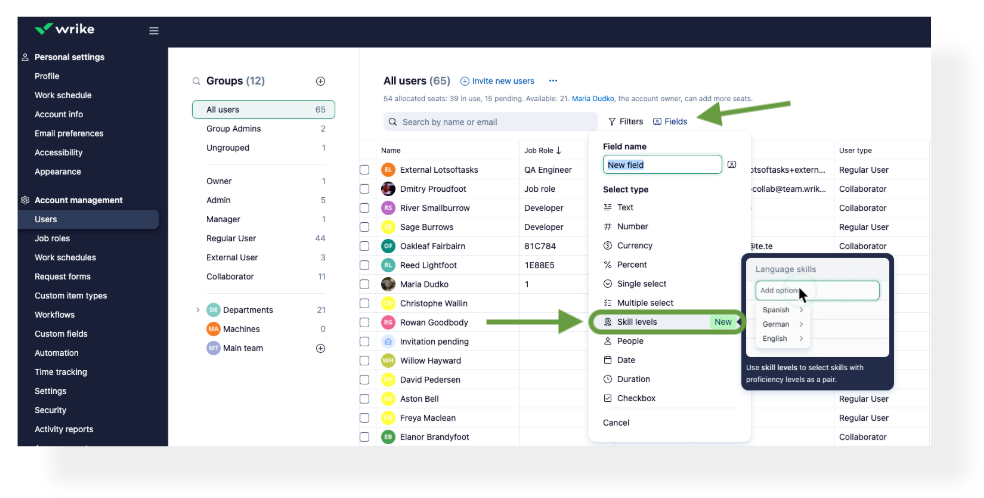
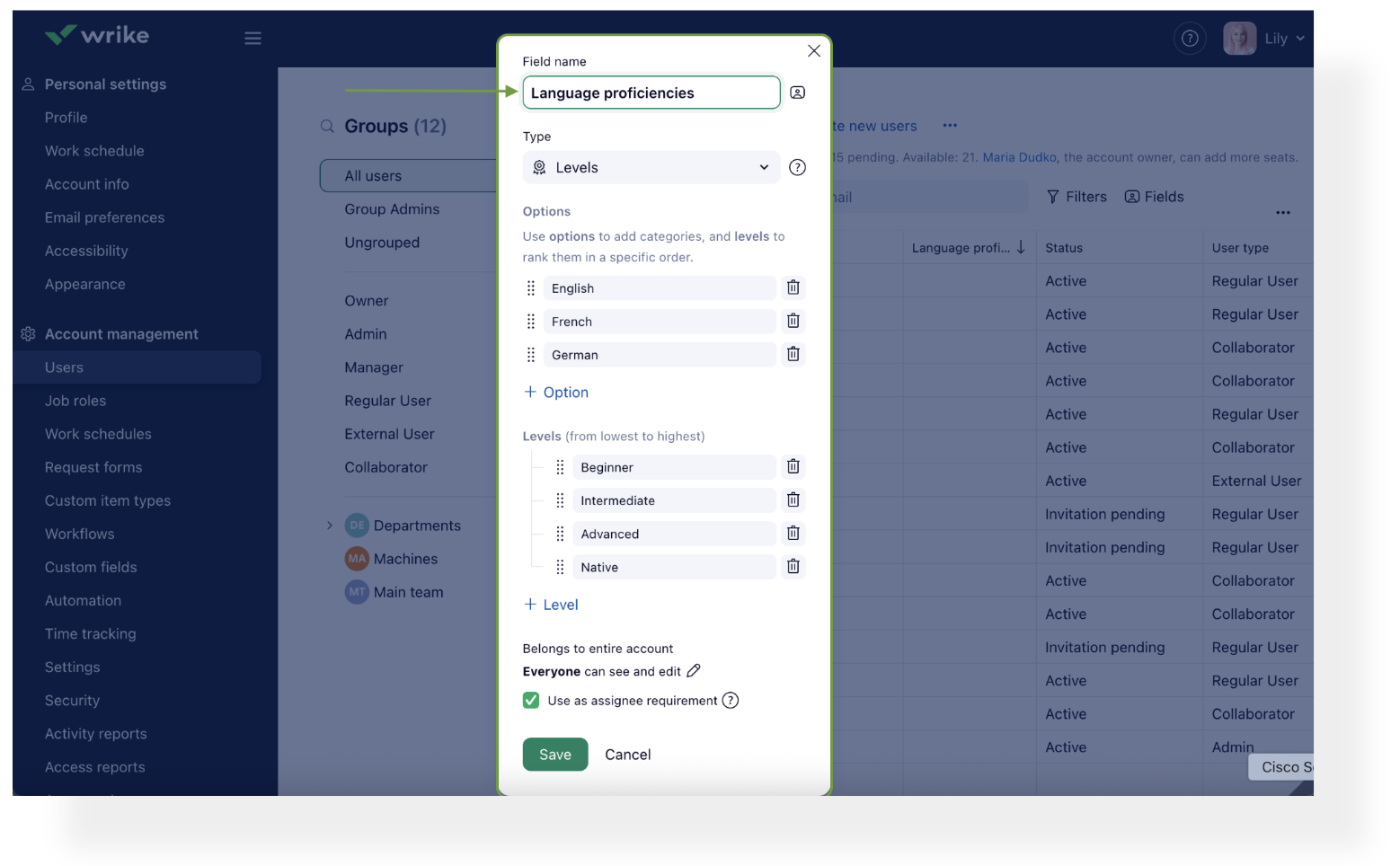
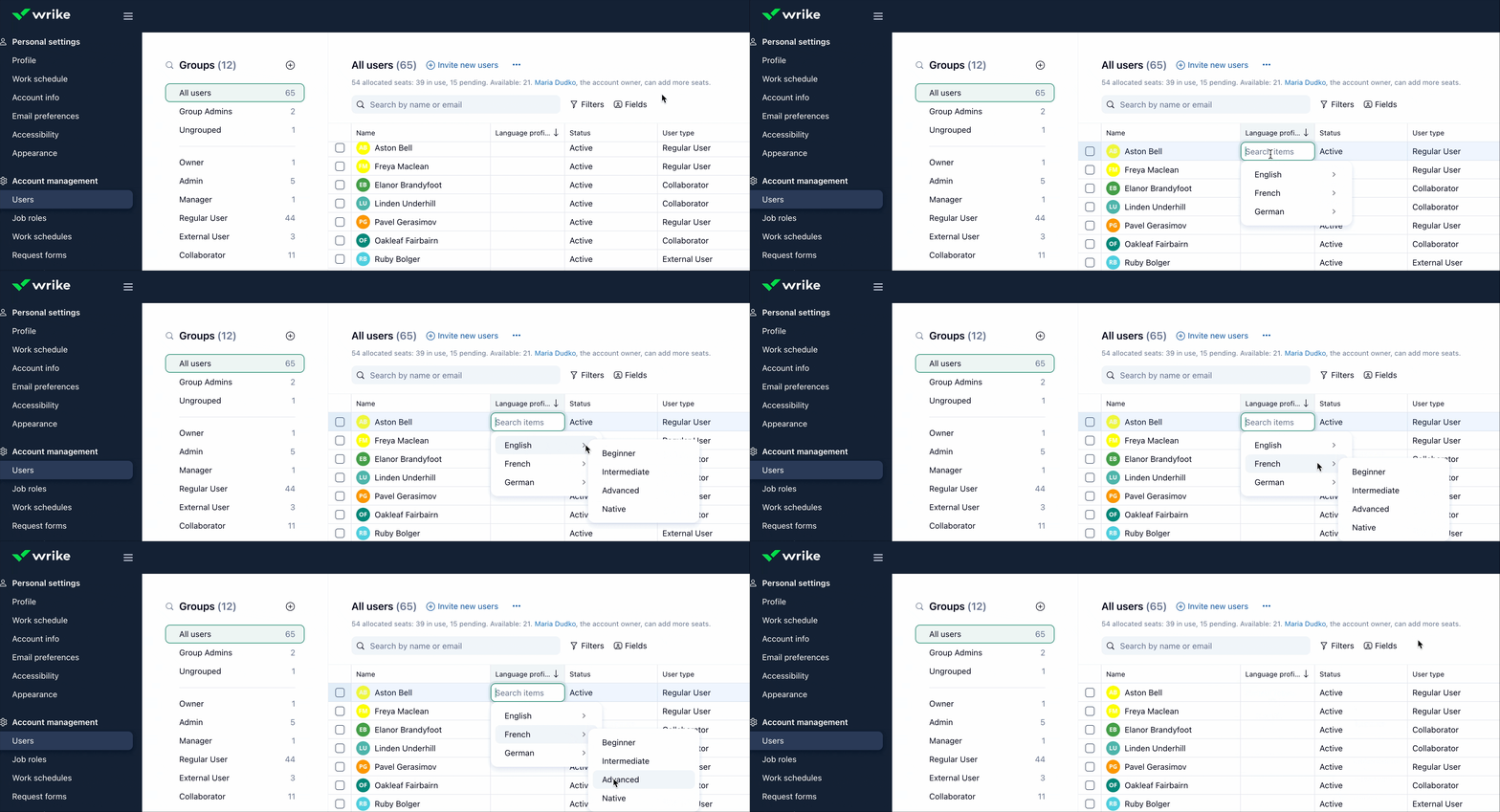
After creating the field, you can set up skills individually in the table, apply mass actions to multiple people at once, or import data via Excel. With skills now tracked and assigned, you can quickly make informed, skill-based resource recommendations to help optimize project staffing and ensure efficient team allocation.
-
Levels in this field type are ordered, from lowest to highest. This means that:
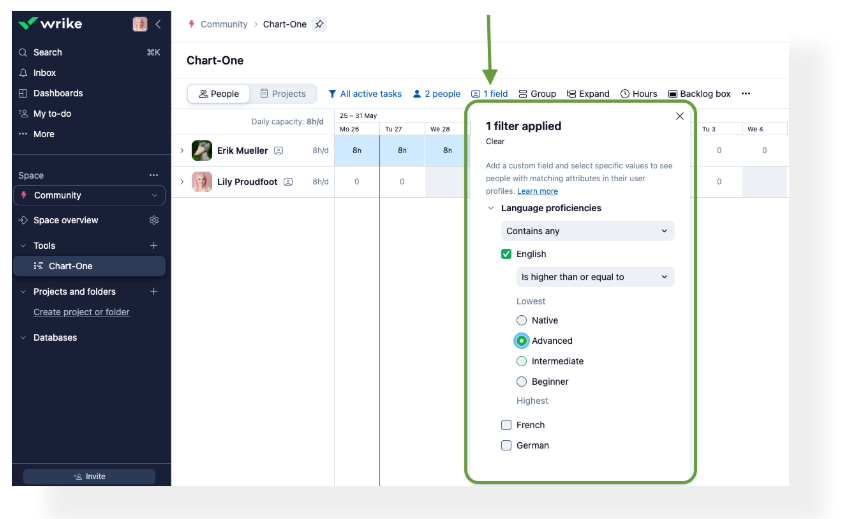
- When you specify a skill requirement for a task, Wrike will automatically suggest people with the required skill level or higher at the top of the list. Those who have the skill, but at a lower level than required, will appear next. Individuals without the skill will be listed further down.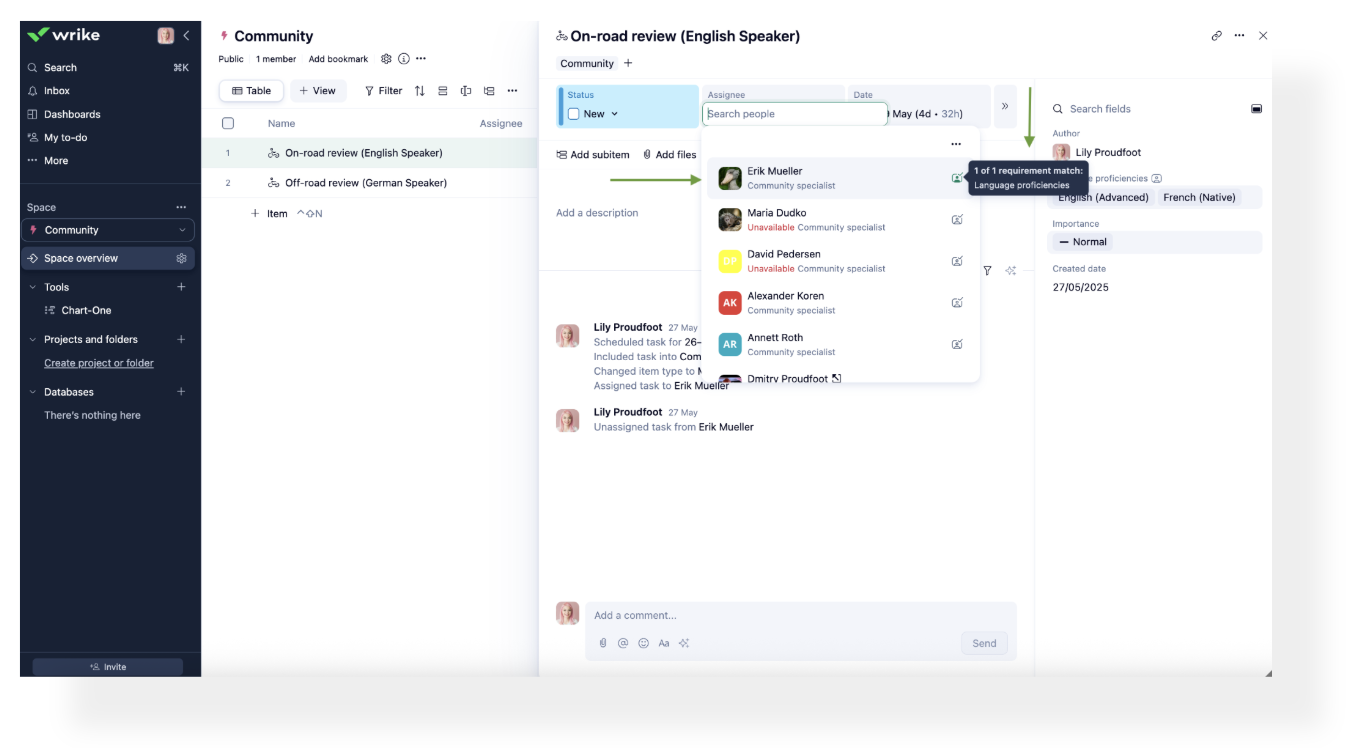
- In Workload charts, you can filter or group your team by Skill levels fields to quickly identify members with the required skills and their proficiency levels. Use the Show recommended button to access assignee recommendations—team members with the required or higher skill level are automatically displayed.
Note: this new field type is only relevant for skills, it is not possible to create a skill level custom field for tasks and projects - it's only available to be created for users. But once created for people, it can be used in tasks and projects if the "Use as assignee requirement" checkbox is enabled.
Current limitations: While in Labs, the new Skill Level field is not yet supported in the new Dashboards, public API, or mobile apps.
How to get started: Enable this new feature in Wrike Labs! 🧪
We’re excited for you to try this out! Let us know your thoughts in the comments below 👇
Rohan V Community Team at Wrike Wrike Product Manager Become a Wrike expert with Wrike Discover
Rohan V Wrike Team member Become a Wrike expert with Wrike Discover
Use as assignee requirement doesn't mandate the field while creating a new user, unless it is meant to do something else
I am excited to try this out with my department. My team were just discussing trying to find a way to do this in Wrike without this added feature and now we don't have to figure it out!
Rohan V Community Team at Wrike Wrike Product Manager Become a Wrike expert with Wrike Discover
Rohan V Wrike Team member Become a Wrike expert with Wrike Discover