🎉 Releases – Set Home for User Groups, Custom Space Templates in Labs, Dashboard Filter General Availability, and More! (09/22/2025)
Выделено
TL;DR: Set Home for User Groups, Custom Space Templates in Wrike Labs, new Dashboard filters and metrics, plus this week’s Wrike-Up Wednesday—details below.
Feature Updates
- Set Home for User Groups 🏠
We’re excited to announce the release of the Set Home for User Groups feature! Admins can now assign and configure a home Dashboard at the user group level, making onboarding faster and easier for everyone!
How does it work?
- Admins can set a Dashboard as home for a user group. To do this, go to Settings > Users, select the group, open Group Settings, and then choose the Dashboard.
- New group members (without a home page) automatically get the assigned home.
- Existing users in the group also receive the group home if they don’t already have one.
- Changing the group’s home updates it for all users who were using the previous group's home.
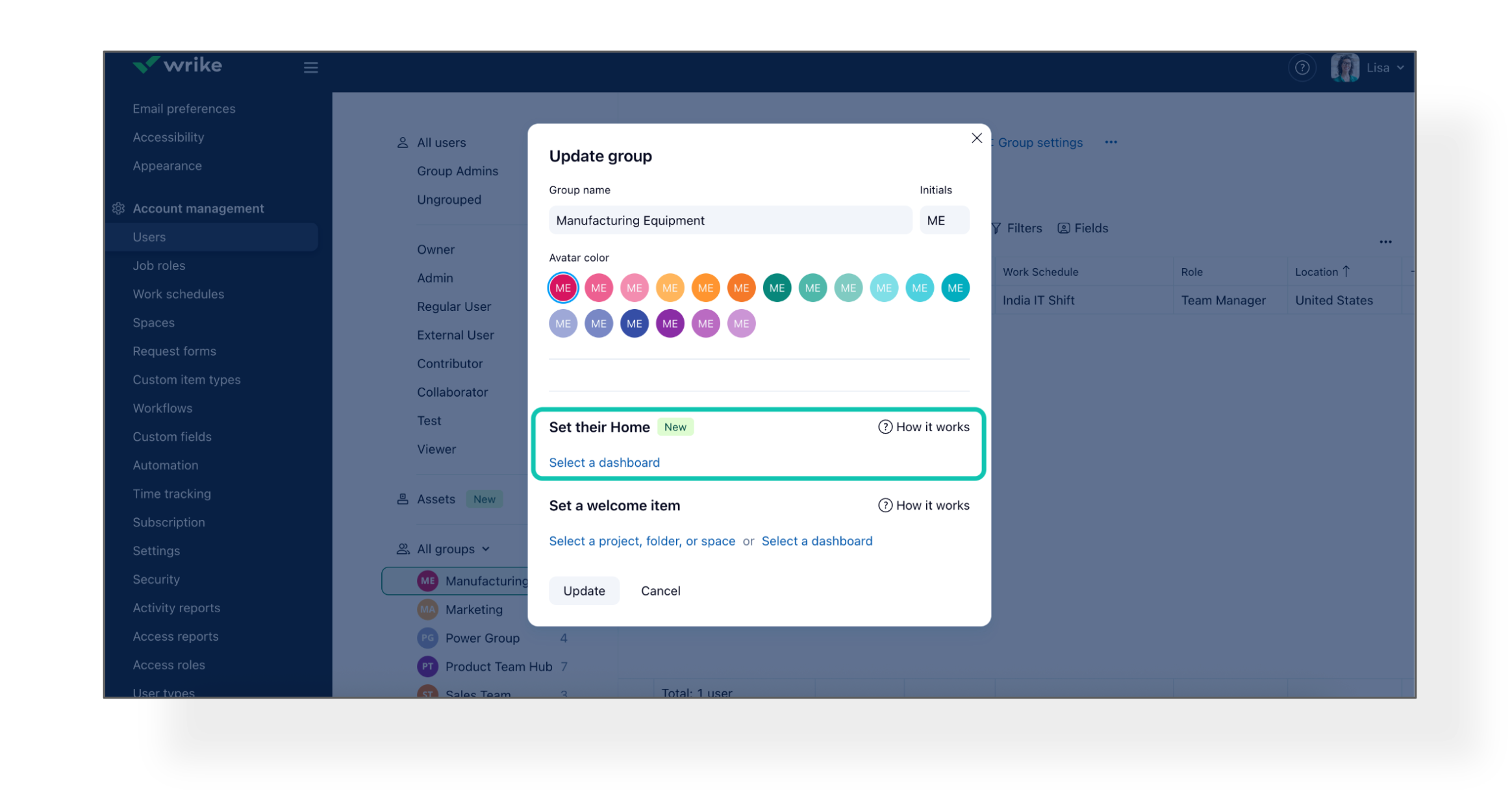
For reference, check out our Help Center article.
- Custom Space Templates: Wrike Labs Release 🧪
We’re excited to introduce an easier, faster way to set up your next project or team in Wrike—Custom Space Templates are now available in Wrike Labs!
How to Create and Use Custom Templates:
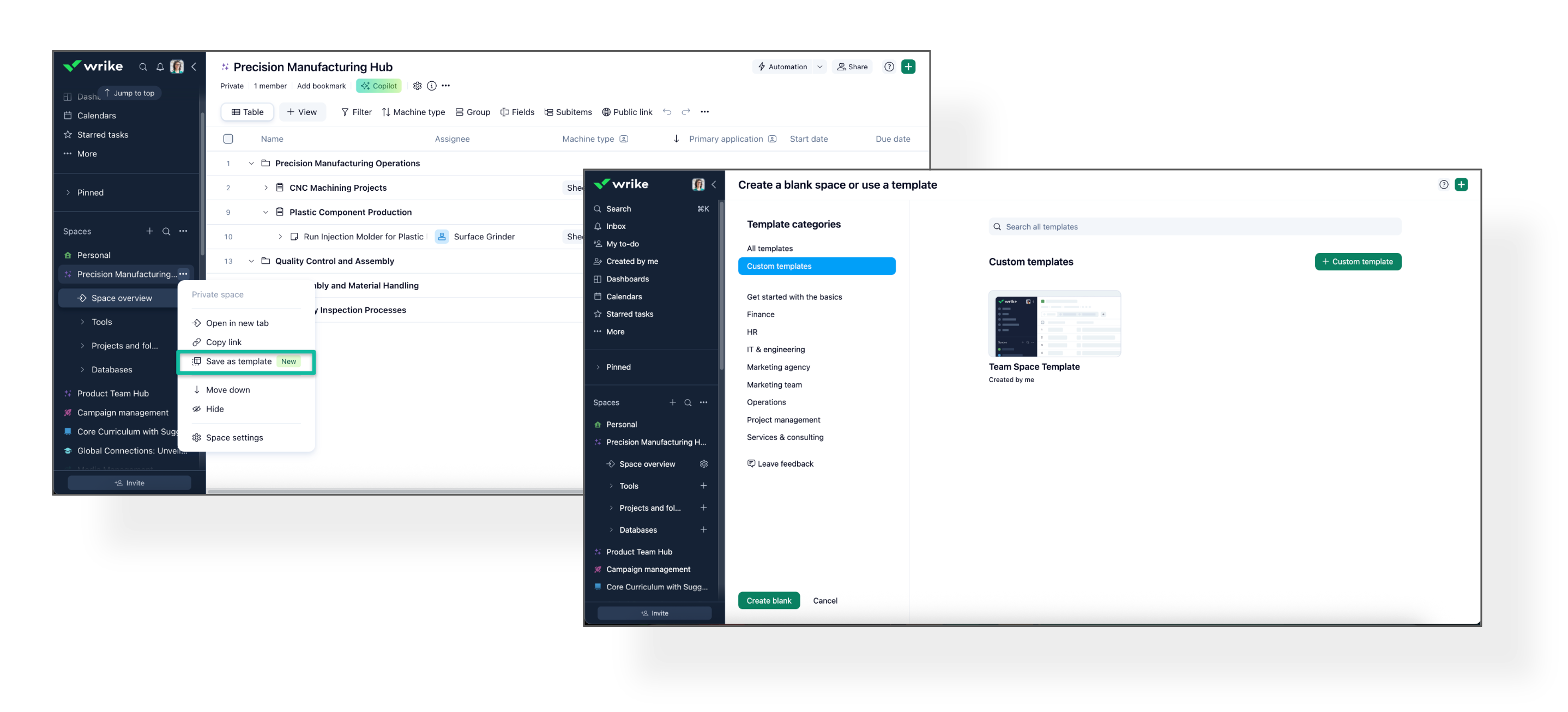
- Save a Space as a template via the three-dot menu in the Space header or by clicking + Custom template in the Templates Gallery.
- Give your template a name and description, then click Save - it will appear in the Gallery.
- To use, click Create new space, choose your custom template, and launch!
What’s included:
- Create Space Templates (up to 5 Spaces per template)
- Account-level configurations (Custom Fields, Workflows, CITs) are reused—no duplicates or admin clutter!
- All space-level configurations are copied into each new space created from a template
- User type permissions are enabled by default for owners and admins only, allowing them to:
-> Create and manage their own templates
-> Manage all templates in the account
- Dashboards: New Filters Now Generally Available! 🎛️
New Filters in Dashboards are now generally available to all users! Previously in Wrike Labs, these advanced filtering options can now be used by everyone.
What’s new?
- Relative Date Filters (next 14 days, last 2 months)
- Enhanced status filtering lets you search for or select statuses across workflows
- Negative filtering, filter by name, files, parent filters, calculated custom fields, filter groups, AND/OR logic (all in table widgets)
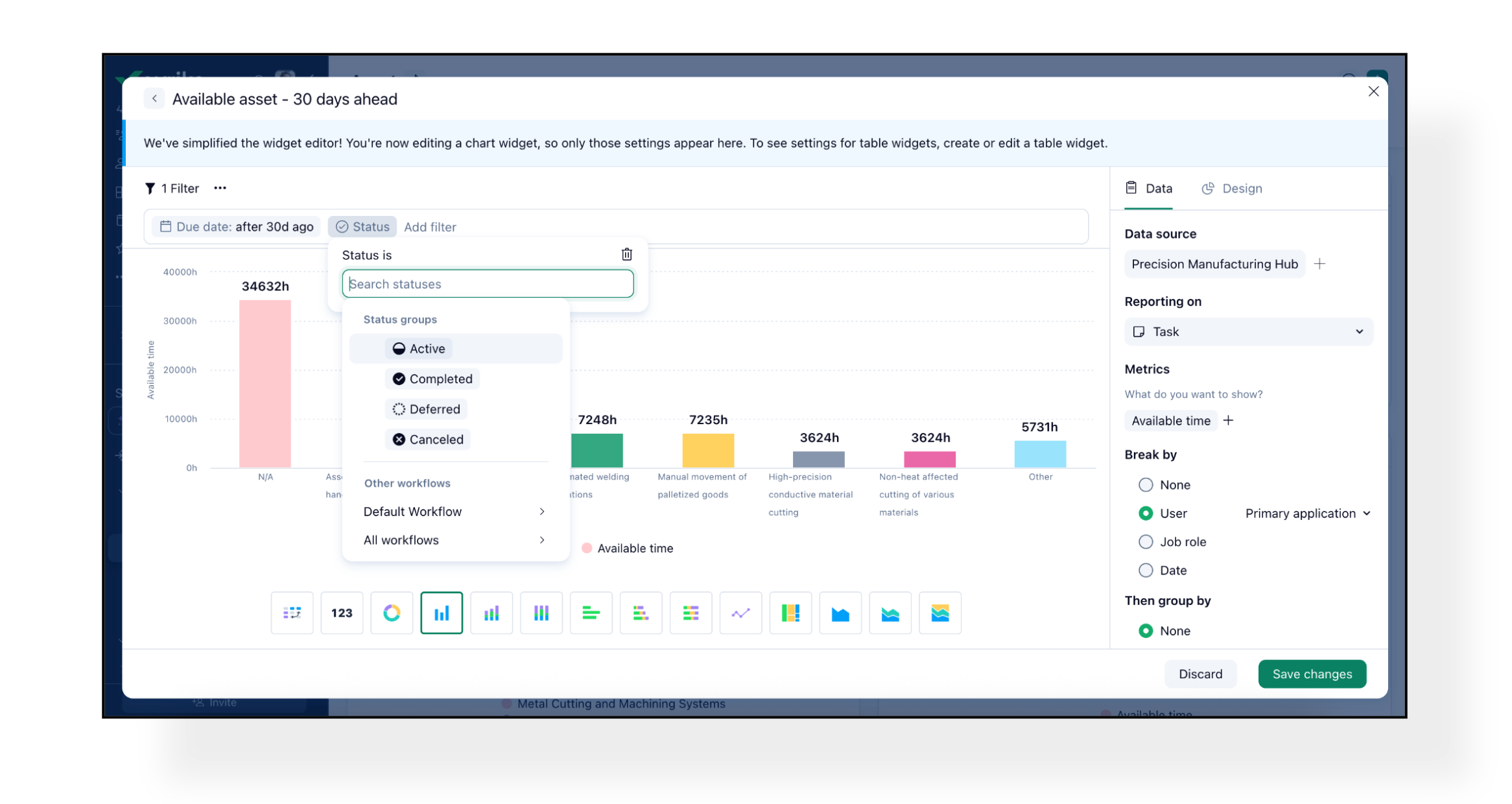
📝 Please note:
- The try new filters button sets new filters as default, but you can switch back to classic filters anytime.
- Filters apply to both tasks and projects—use Item type to narrow your scope.
- Charts do not yet support all filters, and some fields can’t be auto-converted from classic to new filters.
- Both classic and new filters will coexist, so you can choose your preferred experience.
Find more details about available Dashboard filters here.
- Dashboards: User and Capacity Metrics Improvements 🛠️
We’ve improved how user and capacity metrics work in Dashboards!
What's New:
- The User count metric now shows all users, regardless of which folder is selected as a datasource. (You may need to add user filters to your widgets.)
- The Capacity metric now shows the capacity of all users, regardless of folder selection.
- The following metrics are now defined as formulas:
-> availableTimeHours = capacity - effort
-> plannedUtilisation = effort / capacity
-> actualUtilisation = 100 × time spent / capacity
-> availability = 100 − 100 × time spent / capacity
So, Pivot tables displaying effort, capacity, and planned utilisation will always show matching results.
Please note: Widgets using these metrics require user and date filters; without them, results may not be meaningful.
Community News
- Wrike-Up Wednesday: Skill You’d Love to Learn 🎨
This week, tell us about a skill or hobby you’d love to learn and why it excites you. Whether it’s painting, coding, cooking, or something totally unique—no dream is too big or too small! Share yours here!
Basudha Sakshyarika Community Team at Wrike Wrike Product Manager Станьте экспертом в Wrike с Wrike Discover
Basudha Sakshyarika Wrike Team member Станьте экспертом в Wrike с Wrike Discover
Will there be an option for the relative filters to include quarters too?
The new capacity metric on dashboards sounds really useful and great to be able to show it on the team dashboard!
Hi Florian Gascho! The relative filters do include Quarters too.👇🏼 Is this the option you’re looking for?
Basudha Sakshyarika Community Team at Wrike Wrike Product Manager Станьте экспертом в Wrike с Wrike Discover
Basudha Sakshyarika Wrike Team member Станьте экспертом в Wrike с Wrike Discover
Is this working as it should?
I am finally getting a chance to testing it. I created a group with myself and a test user. Assigned the group as Home - and it isn't showing me or my test user account the home screen that I set for the group. I had a dashboard that I had previously set as Home, so I removed that. Still no luck.
Hi Rob Gorczyca 👋 Apologies for the delay in getting back to you. I see that you contacted our Support Team, and I hope they were able to assist you. If you have any other queries, please feel free to let us know.
Rohan V Community Team at Wrike Wrike Product Manager Станьте экспертом в Wrike с Wrike Discover
Rohan V Wrike Team member Станьте экспертом в Wrike с Wrike Discover
Thanks Rohan V! I did contact support and they got right back to me. We figured out it was a cache clearing issue. Once I cleared my cache, the feature started working as it should. Leaving this note here in case anyone else runs into it. Thanks again!
Rob Gorczyca, I’m glad to hear that! Thank you for taking the time to leave your note here. I really appreciate your gesture 🙏
Rohan V Community Team at Wrike Wrike Product Manager Станьте экспертом в Wrike с Wrike Discover
Rohan V Wrike Team member Станьте экспертом в Wrike с Wrike Discover