[Status: Backburner ⏳] Data entered into custom fields rolls down to subtasks

Hi,
I'd like to see an option for data entered into parent task custom fields to roll down to custom fields in subtasks where applicable.
Our use case: We have a top level task, within that task we might have video, photography, graphic design so we create subtasks for each area.
We have custom fields to dictate Website/Client, Type of Work, and a custom job number field (generated from another system) that would be the same information for the parent task and all subtasks underneath it. We have these as custom fields because we need to report on them.
At the moment we're just copying and pasting the information over which is taking up quite a bit of admin time.
Thanks
Holly
Jess Cuddy great workaround! I'm sure many users will benefit from the information you're sharing! Thank you for this contribution 👏
Did this ever get any traction? The workaround only works for static subitem names, I don't see a way to dynamically update subitem custom fields based off of the created items custom fields.
Hi Connor Redalen, welcome to the Community. At the moment there are no updates regarding this suggestion, although our Product Team is interested in developing this feature. Please rest assured that we will keep you informed if any changes are implemented.
Hello - In Monday.com, automations take care of this easily. When new subitem created, duplicate parent item custom fields. C'mon. Let's get this done.
Hi Kristine Johnson, welcome to the forums and thank you for sharing your feedback!
Our team is still interested in working on this update, but it's not on the immediate roadmap. We'll let you know when we have any updates.
Lisa Community Team at Wrike Wrike Product Manager Become a Wrike expert with Wrike Discover
Lisa Wrike Team member Become a Wrike expert with Wrike Discover
How do you drag and drop ? I have my table view open and Items and sub items. I want to drag the info from the item to the subitem but it wont let me drag and drop. I can copy and paste but I would like to be able to drag and drop
Hi Lorisa Arnold, do I understand correctly that you don't see this option in the Table view?
To drag values, you'd only need to click on the circle that appears at the bottom left of the cell, hold and move the cursor down, or up to paste the value.
Hello!
Just following up on this.
Are there any updates regarding this?
It would be perfect to have the option to create an automation like: When a custom field changes (on a parent task), match the custom field of a sub-item to the parent task's custom field.
Also chiming in here, this is a must if you want your users to fully utilize custom fields and a hierarchical structure. This issue alone is stopping our company from implementing several solutions that (other than this) would be perfect in Wrike.
Hi Connor Redalen and Alexandre Lindolfo de Oliveira- (welcome to the Community!). I'm afraid that we don't have updates to share about this suggestion at the moment. I've passed your comments to our Product Team.
We will keep you updated in case there are any changes 👍
I am here to say, lets keep this conversation going! This would be an amazing feature! Dynamically populated fields on subtask creation. Dragging fields in the task table is not optimal at all. And at the moment we use wrike integrate and the tasks just go up and up as more people are onboarded onto the system (We currently have just under 300 users and this is just going up) AND they start making use of it more and more. We estimate this amount will not just triple as users start to use the platform but grow exponentially.
I saw it said "Back-burner" in the title... Hows this back-burner? Medium rare? Medium to well? :)
Rohan V Community Team at Wrike Wrike Product Manager Become a Wrike expert with Wrike Discover
Rohan V Wrike Team member Become a Wrike expert with Wrike Discover
Hey Everyone,
I'm creating a similar process and just landed on this page.
Create a sub-task and have the custom fields pre-filled from the parent task.
This request was created back in 2018!!! Is there an ETA for it or is it at the moment just in conversations?
Cheers
Marco dos Santos - At this point I'm pretty sure they intentionally aren't going to implement this feature because it can be done with their Wrike integrate system which costs a premium. Just hiding functionality behind a paywall unfortunately.
Hey folks! Our team is aware of this feedback but for now, we don't have any ETA here. We'll let you know if there any changes here in the future. Please be sure to follow our Weekly Release Notes forum to never miss an update from Wrike 👍
Lisa Community Team at Wrike Wrike Product Manager Become a Wrike expert with Wrike Discover
Lisa Wrike Team member Become a Wrike expert with Wrike Discover
Chiming in here as well - have been hoping to see an update on this. The amount of time I spend dragging this information down to child items from the parent is obscene. Short of creating upwards of thousands of automations or separate blueprints to do this, there isn't any other "work around" that I've found. It seems like fairly basic functionality and is essential for proper reporting.
Why is this backlogged? How do we get it pushed to the next update?
Would love to see this included in a future update!
Hi everyone 👋 thank you for all your feedback.
At the moment, we do not have any new updates from the Product Team regarding this suggestion. We are ensuring that all comments are forwarded to the relevant team for their visibility. If there are any developments in the coming months, I’ll be sure to post an update here. Thank you for your patience!
Rohan V Community Team at Wrike Wrike Product Manager Become a Wrike expert with Wrike Discover
Rohan V Wrike Team member Become a Wrike expert with Wrike Discover
Our team needs this. Provide in request form setup or allow in automation to be set dynamically.
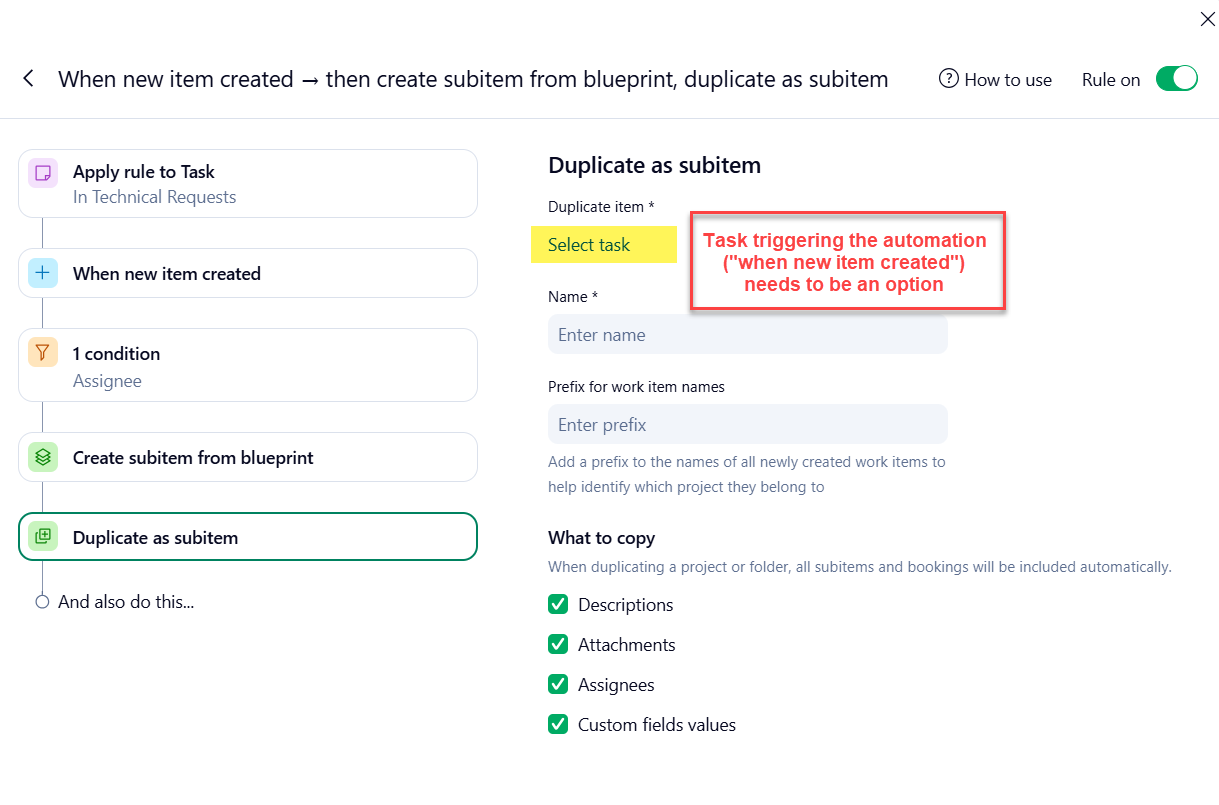
This would be a game changer for us as well. The automation engine doesn't even let us create an automation that could do this :(
Hi Brett Frahm, Soraya Jung 👋 Thank you both for supporting this suggestion and sharing your feedback with us. There are no new updates, but we'll keep you informed if anything changes in the future.
Rohan V Community Team at Wrike Wrike Product Manager Become a Wrike expert with Wrike Discover
Rohan V Wrike Team member Become a Wrike expert with Wrike Discover
It's a real shame that Wrike has no interest in providing this highly useful functionality - especially with the votes now being over double the threshold for getting attention.
I'm constantly running into situations where I'm told that Wrike Integrate is the answer - it's this sort of attitude that may lead me to recommend we move away from Wrike as our project and portfolio tool.
I sort of understand how wrike integrate is a decent feature for it. Because its likely going to need to be for EACH automation to create a subtasks. However, if you only need specific fields for different subtasks, that would work very well. But because workato can sometimes get overloaded if there is a massive queue, then thats where an issue arises
Definitely Jason - you've hit the nail on the head. This is exactly the reason I use the API to do this.
I've been looking for a way to do this as well. It would be extremely useful for our organization to have this option so that we can assign different parts of a project to their appropriate teams based on information that we receive from out intake form, but at this time the information only applies to the main task and doesn't get communicated through to any of the subtasks. Having to manually copy the fields into their appropriate subtasks for each request we receive would be tedious and introduce unnecessary possibilities for error.
I'm disappointed to see that this basic feature has been requested multiple times going all the way back to 2018 and still has not been implemented. There's another request for the same feature, also submitted in 2018, currently at 306 upvotes, with a status of "not planned" here: Cascade Custom Field "Value" from Folders/Projects to Sub Projects/Folders/Tasks
I've also found several other examples of users requesting this over the years. At least one of these has also met the 60 upvote threshold, and others are getting close to it. This is obviously a highly wanted feature. It's a shame that it's not being prioritized (or according to the status on the other post, not even being considered.)