Limited custom field viewing in list view / pop-out view for Collaborators / Limited access

Hi all,
I have tried looking for this post but as of yet cannot find it, so my apologies if this already exists, however...
Issue / User Case
A lot of my account's collaborators are noting how they cannot view the entirety of a custom field if contains a value longer than about 10 characters as per Figure 1.
Current Workaround
This doesn't effect regular users who have access to edit custom fields in the relevant location because they can just edit the field as per Figure 2 and obviously the collaborators can view the custom fields in table view but having workarounds is not ideal because it wastes time and means that user guides/training are inconsistent.
Possible solution
To automatically update the length of custom field boxes in the list / pop-out view to enable more of a custom field (if not all of it) to be viewed, for my user case 20 characters would be enough but I'm sure others would find more characters useful.
I'm aware this is a trivial concern as the workaround for it isn't a massive bother but it's something that I thought was worth highlighting as it seems no one has done so before.
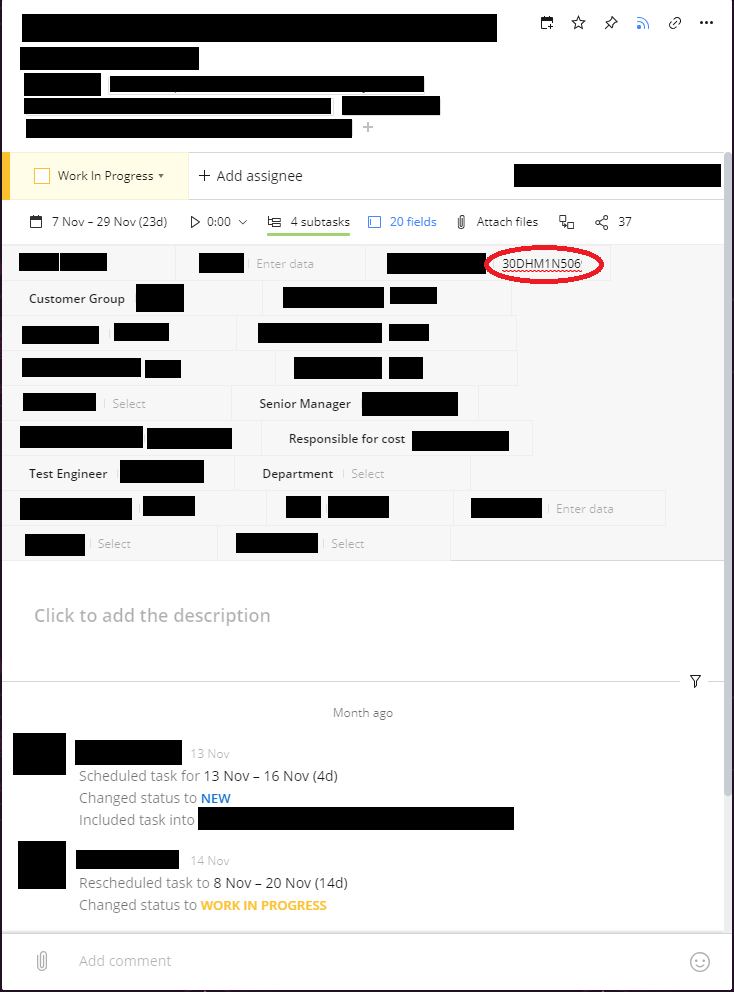
Figure 1
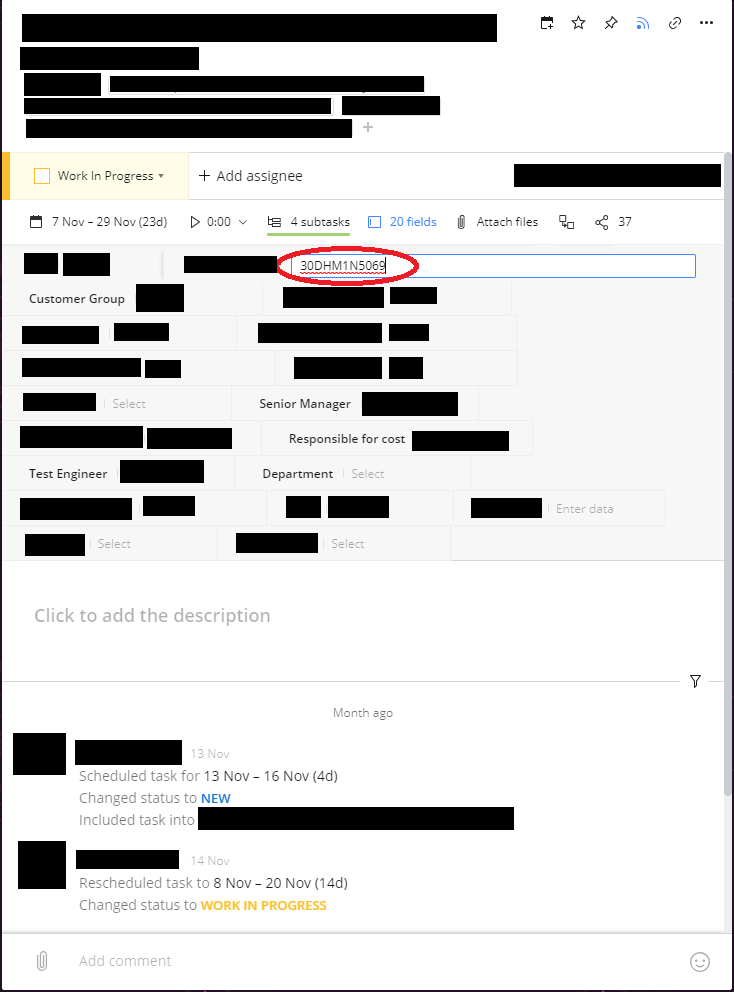
Figure 2
Thanks for taking the time to read this, have a great day and God bless
-George
p.s. sorry for all the Redaction of text.
Hi George, sorry for not getting back here sooner. This post is exactly what we're looking for in term sof layout, thanks so much for being so concise it really helps the Product Team when reviewing this sort of requests 👍