Insert a template of task in a project/task w/o the head line of the blueprint

Hello,
I would like to know if someone has a method to insert a template of task in a already existing task/projet.
Today, with blueprints, I have the possibility to create templates and I use them when I am creating the project/parent task but when the element is existing if I use a blueprint I have the "title" of the blueprint inserted too.
An illustration could be (I would like to have a way to insert the template task 1 / task 2 / task 3 directly in the already existing project :
> Project 1 *already exist
> Blueprint title *project or task
> Task 1
> Task 2
> Task 3
Hi Constant Biblocque,
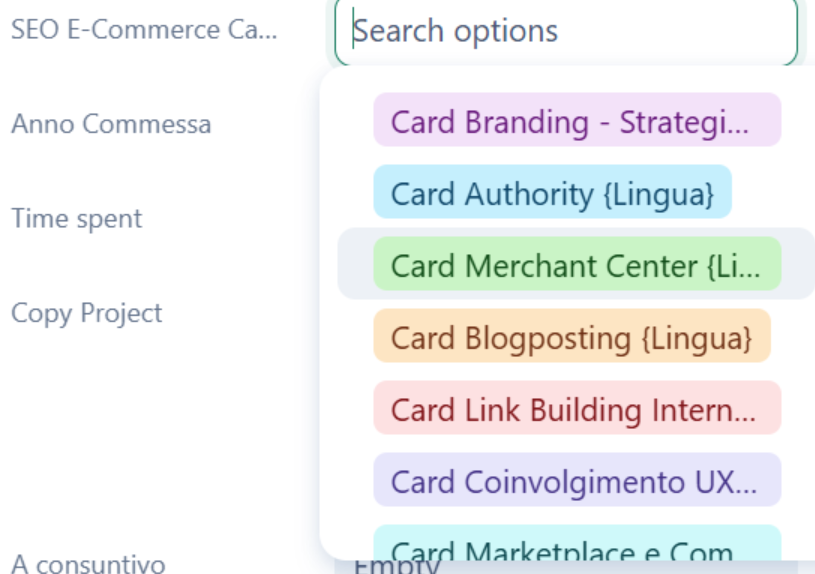
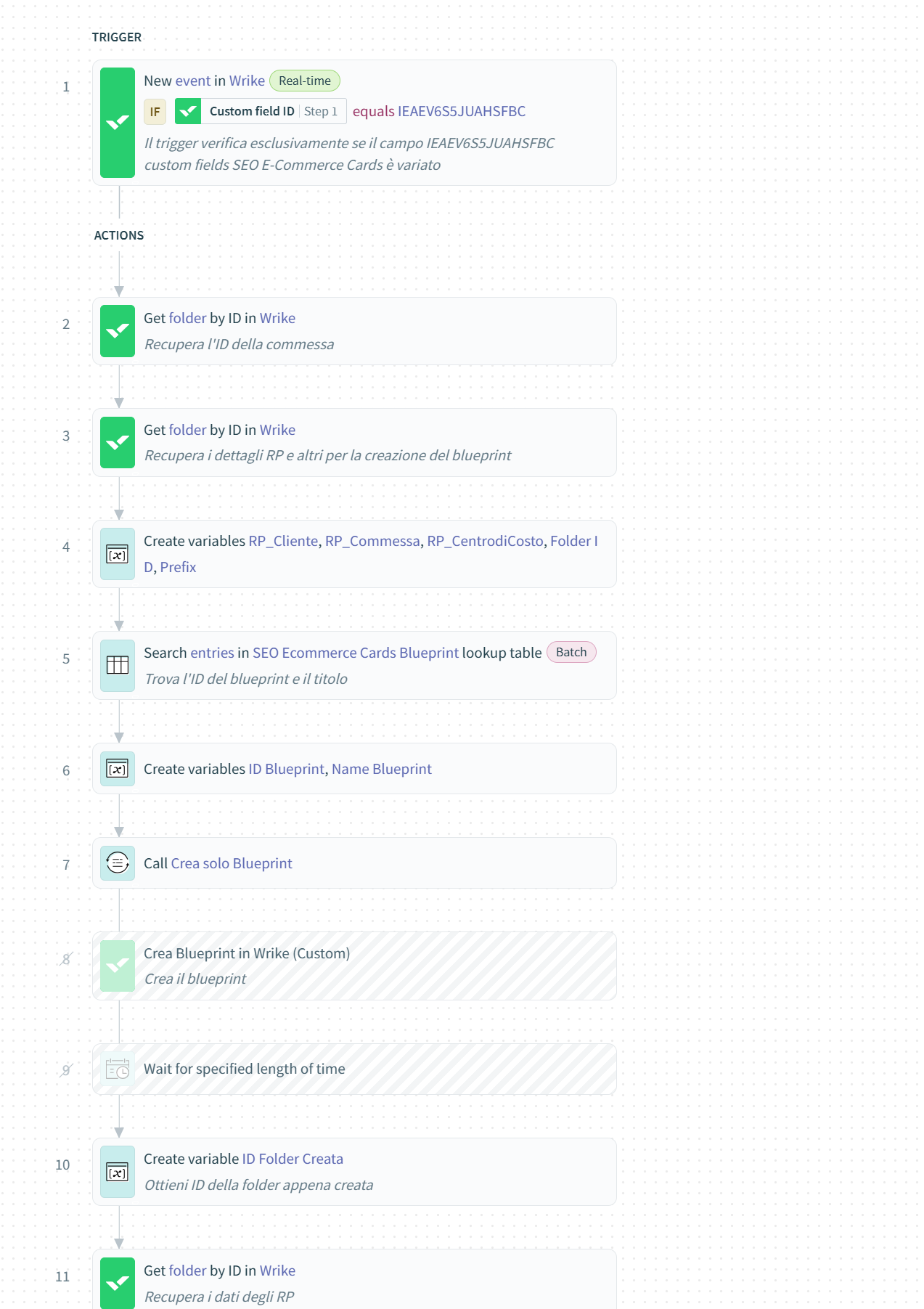
I've made something similar in these days.
We have large SEO Projects for ecommerce and it comes from a blueprint.
During the project our specialists needs to add some portions of task and activities.
So I've created a new custom field (a dropdown select) in a project. PMs or SEO Specialist can select a specific voice in this list.
Automatically, with Wrike Integrate, I can create inside a project using a folder blueprint defined in advance.
Then when blueprint is finished I mass edit (always with Integrate) all tasks name and additional info.
Hello Pietro Poli,
Thanks for taking the time to get back to me.
1 - I don't see well how your implementation works, could you share a test example with before/after screen with the only the template that has been integrated ?
2 - So far, we don't have Wrike Integrate and that was not on our plan to get it, so it may be impossible for us
Hi Constant Biblocque,
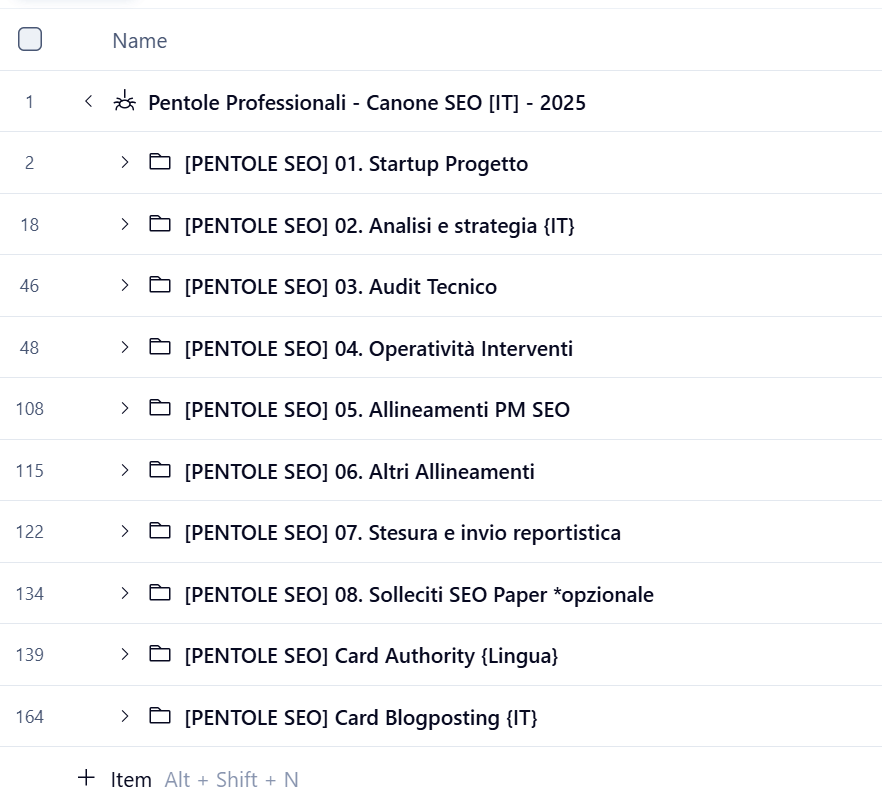
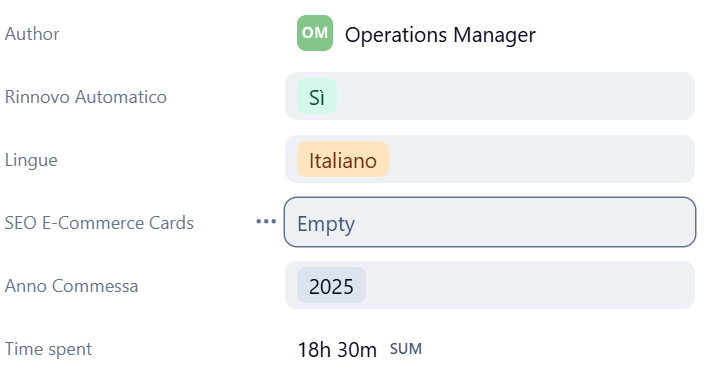
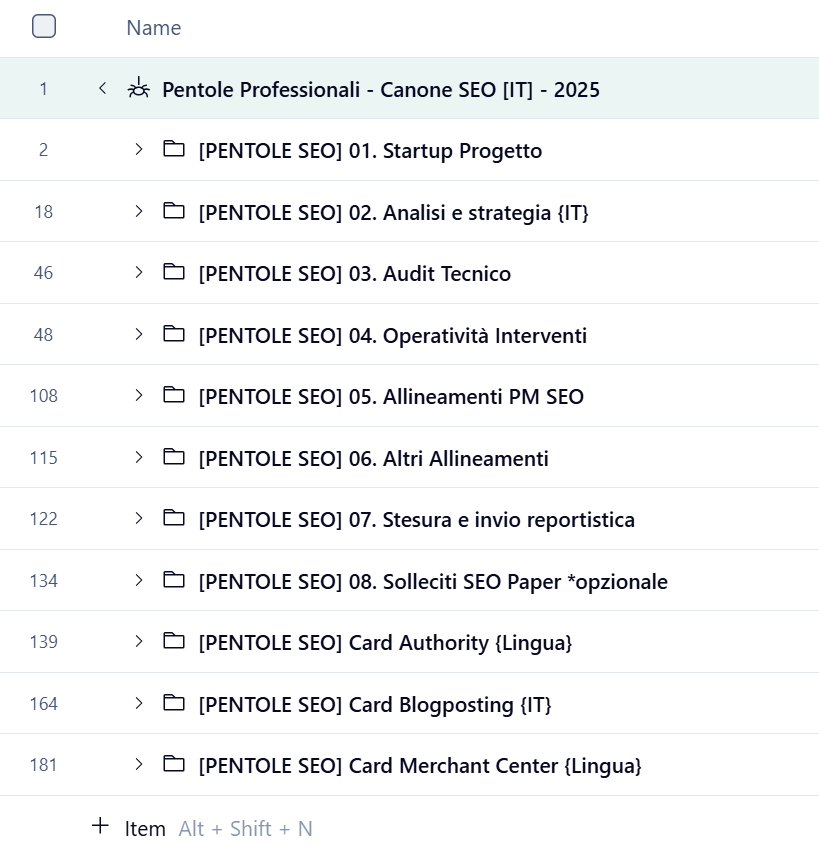 5- Inside the folder all tasks I need (as you can see I've prefix similar automatically added)
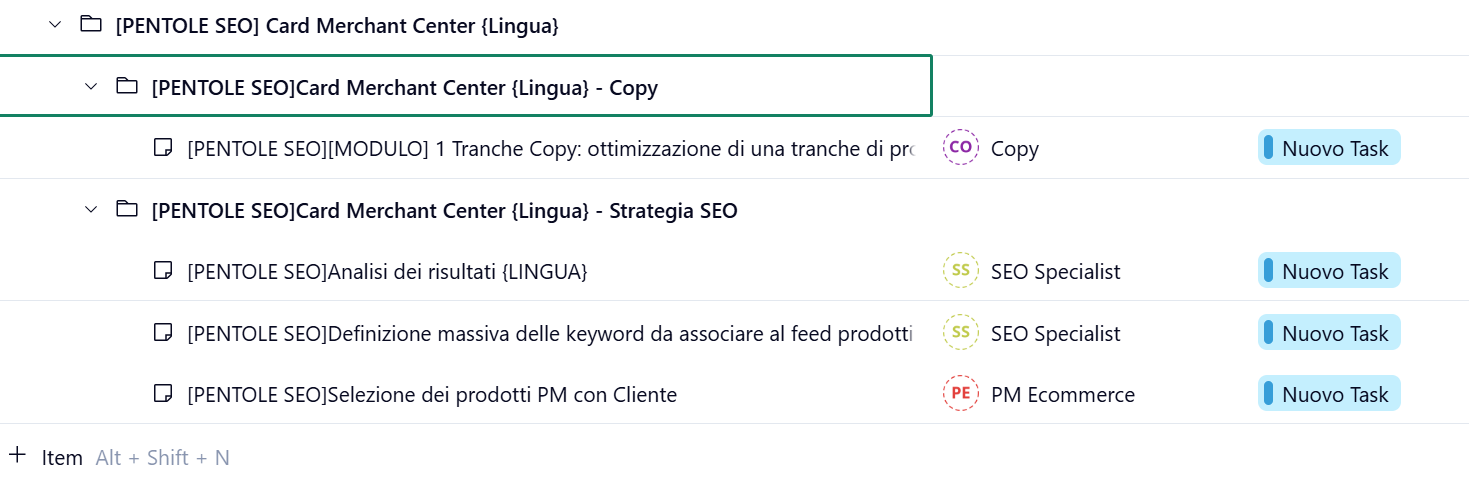
sure here my steps:
1- In this project I've these folders (each folder contains one or more tasks)
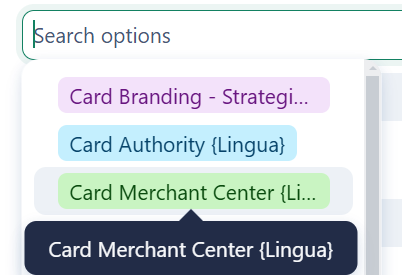
2- Now I go into the project and I've a custom field called "SEO E-Commerce Cards"
3- Just selecting a value in this field
4- In a few seconds I obtain a new folder in my project (see last row)
If you want to know more we can arrange a call =)
Hi Pietro Poli,
Thank you for your answer, I better understand how it works now.
Now imagine that early in the project and we know the big lines but we don't know the details, in your example, we know folders but not tasks but when we will know we want to insert them in the existing folder or project (which is impossible with blueprint)
Here is an illustration :
At the beginning, I am creating a list of features (example below)
and then once my list is established I want to use the blueprint according to my functionnalities (here I used my blueprint "Fonctionnalité") and here is the result = > "Fonctionnalité" task is just the "title" of my blueprint and here it is useless.
Hi Constant Biblocque,
the activities below Fonctionnalitè task are always the same?
How to you decide to add in that project?
If you have a big list of task (always similar) to be added as a subtask you can do it in the same way I've done with my sample.
You need a custom fields with the list of tasks and by selecting a value you can create automatically a new task.
Hi Pietro Poli,
Thank you for taking the time to answer me !
It depends on which type of feature it is but generally yes, the list of subtasks is the same.
We add this list when we have more visibility on what we have to do. Often it is between macro estimation/macro schedule phase and fine conception & detailled schedule phase
Yes I see your point, and I saw that this can work also with simple automation (w/o Integrate) by creating several subitems when a value of the custom field is modified.
The main difference between this and blueprint is that assignees are not added as well as dependencies
But to me it is very time consuming to be implemented !
Hi Constant Biblocque,
yes for dependencies you can't have them automatically (you can avoid manual work with Wrik Integrate) and also auto assign task based on info in the project.
Without Wrike Integrate you need to do something by hand.