Automation: Custom Item Type Condition

I want to build an automation that fires when an item of a specific custom item type is created.

For example, I want to monitor the "Events" space for any task of custom type "Event Date" that is created. Then I'd like to tag it for a second location ("add item to...").

Is this possible? I see that I can monitor a space for "New Item Created," but "custom item type" does not not seem to be a filter I can use.

What am I missing?

0
👍 Spot On 💡 Innovative Approach 💪 Stellar Advice ✅ Solved 🪄 Remove Kudos
9 comments

Hi Teddy

Couple questions/possible solution:

  1. Is the Custom Item Type (CIT) a space level or account level item type? 
  2. If it is a space CIT, then you need to add the automation on the space level from space settings. 
  3. If it is an account level CIT then you add the automation in the account settings.
  4. When you initially say "apply to" is where you select the CIT 
  5. Then you say "New Item Created"


Does that help?


1
👍 Spot On 💡 Innovative Approach 💪 Stellar Advice ✅ Solved 🪄 Remove Kudos

Hi Teddy,

you have to setup automation in the same space where you create Custom Item Type.

When you create automation you'll see something like this

1
👍 Spot On 💡 Innovative Approach 💪 Stellar Advice ✅ Solved 🪄 Remove Kudos

Thank you for your responses!

It's definitely an account-level CIT:
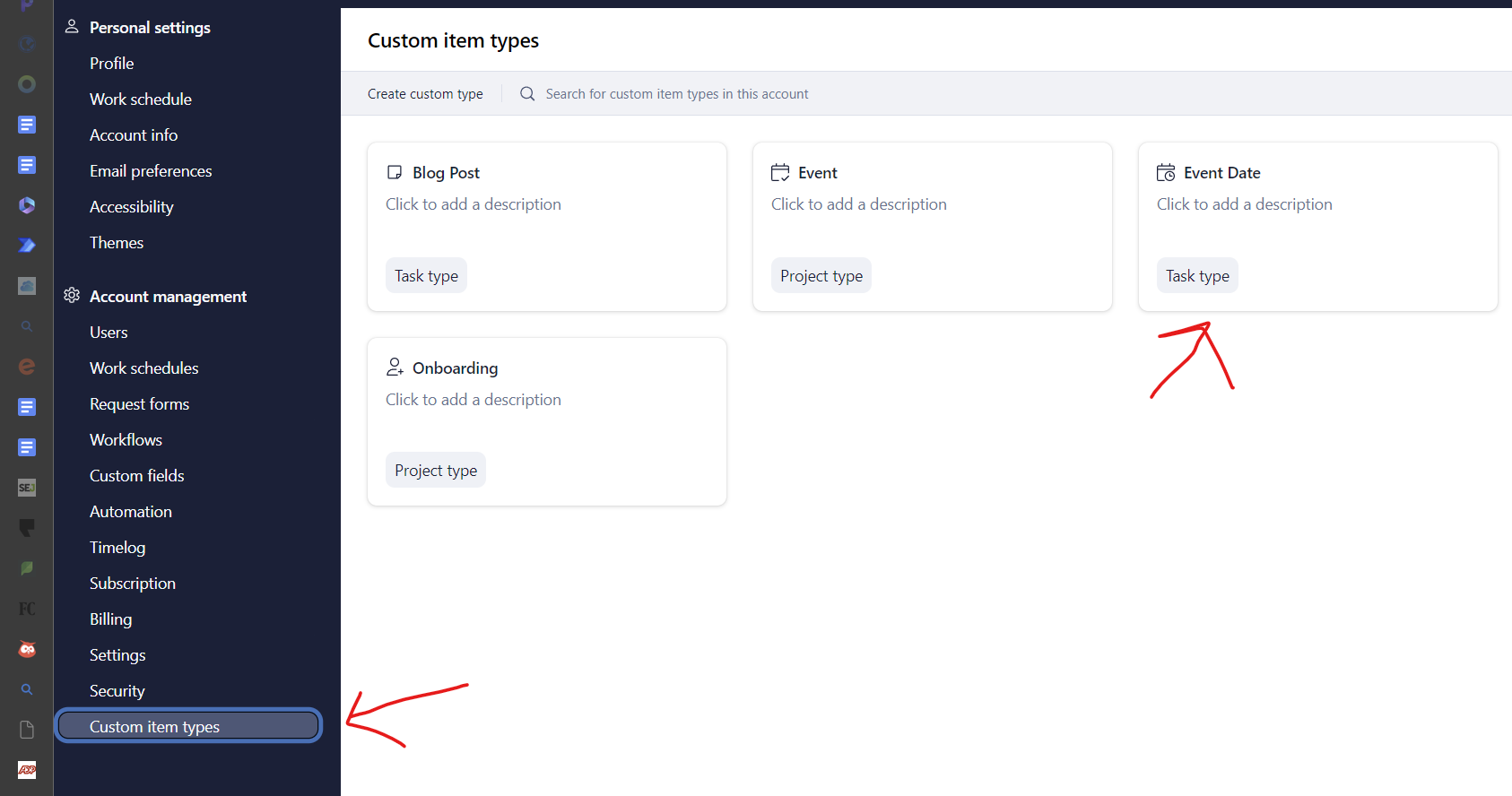

But when I go to set up the automation at the account level, my only choices are "task" and "project"


0
👍 Spot On 💡 Innovative Approach 💪 Stellar Advice ✅ Solved 🪄 Remove Kudos

Hi Teddy, you can apply you CIT as a filter here

0
👍 Spot On 💡 Innovative Approach 💪 Stellar Advice ✅ Solved 🪄 Remove Kudos

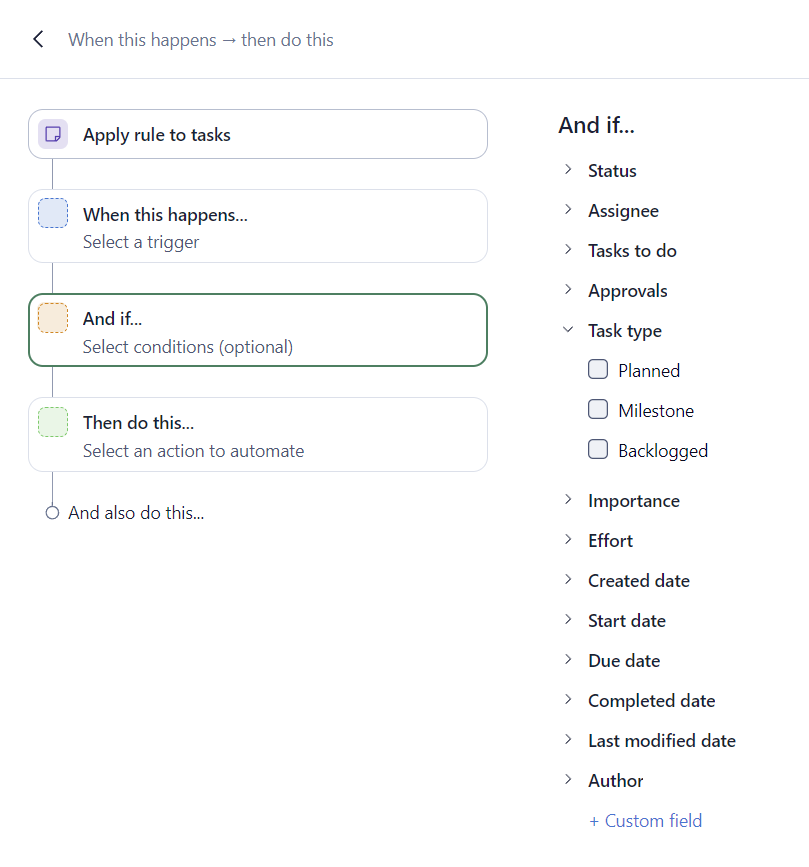
Tried that yesterday. Closest I could find to CIT was "type" and "custom field." Am I overlooking it?
0
👍 Spot On 💡 Innovative Approach 💪 Stellar Advice ✅ Solved 🪄 Remove Kudos

So is my Wrike broken? :)

0
👍 Spot On 💡 Innovative Approach 💪 Stellar Advice ✅ Solved 🪄 Remove Kudos

You are right Teddy, is not possibile.
Sorry for my error.

I solved it by filtering on a specific workflow status (dedicated only to that specific CIT).

0
👍 Spot On 💡 Innovative Approach 💪 Stellar Advice ✅ Solved 🪄 Remove Kudos
Avatar
Juan

Hi Teddy, thank you for sharing your case with the Community. Pietro Poli and Devree Czupinski , thank you very much for helping up here!
 
It is possible to create an automation rule to automatically include (tag) every item created from a specific Custom Item Type in a designated folder/location. To achieve this:
 
1- Navigate to Settings (by clicking on your profile picture) and open the 'Custom Item Types' tab.
  
 
2- Open the relevant Custom Item Type and scroll down to find the option 'Manage automation rules'.
 
 
3- Open this section and set up the automation rule. Trigger: 'When new item created'. Action: 'Add item to' (and select the relevant location):
 
  
After creating this rule, when a user creates an item using this specific Custom Item Type, the created item will be included too in the relevant folder/project.
 
If you have any additional questions, please let me know 👍
 
2
👍 Spot On 💡 Innovative Approach 💪 Stellar Advice ✅ Solved 🪄 Remove Kudos

Thank you, @...!

0
👍 Spot On 💡 Innovative Approach 💪 Stellar Advice ✅ Solved 🪄 Remove Kudos

Folllowing List for Post: Automation: Custom Item Type Condition
[this list is visible for admins and agents only]

Top

Upcoming Live Sessions

Didn’t find what you were looking for? Write new post