PastWeek function in indicators

I am trying to make an indicator that shows the number of tasks created in the past week and the number of tasks completed in the past week and I can't get the formula to work.
PastWeek((COUNT([Task ID]), [Days in Task Creation Date])) and PastWeek((Count([Task ID]),[Task Status Group]))
These are the formulas I am using and in my mind it should work, but I am only getting #N/A in return. The formula works without the PastWeek part, but then is shows all time which is not helpful. Does anyone know what I'm doing wrong?
Thanks!
Thanks Claire Findlay for posting here.
I've raised a Support ticket for you now and the team will be in touch shortly.
Elaine Community Team at Wrike Wrike Product Manager Become a Wrike expert with Wrike Discover
Elaine Wrike Team member Become a Wrike expert with Wrike Discover
Claire Findlay you do not need to use the PastWeek function. You can simply filter creation date to be last 7d (if you want a sliding window of the past 7d) or last week (if you want a static window)
Claire,
Thank you for asking this, I had the exact question.
Miron,
This worked perfectly. Thank you!
Hello Hello Hello!
I'm trying to use the "PASTYEAR" function in a Pivot Table for what I THINK is a pretty ordinary use case.
I have an ordinary pivot table with "Project Type" for Rows, Project Due [Month] for Columns, and the Values are a custom field representing an amount in USD. There are some other filters applied to narrow down the Item type, Project status and date range.
I want to also show the value for the same period last year, I duplicated my first "Value" and modified it with a formula: PastYear([Total TTV (USD)]), this doesn't seem to be working as the board tries to refresh and then gives me the green-sad-face-computer, or the dreaded-blue-diamond. Ideally my report will contain 4 columns per month;
Has anyone had any success with these functions? Maybe I have the syntax wrong? Any clues much appreciated.
Ashley Hancock not 100% sure here but I am not sure this is how it works. what do you want to calculate as past year? if it is the value that the TTV field had last year then this is not possible since WA does not contain CF history data. The data you want to sum needs to have a date dimension. I also think that the filtering by quarter somehow interferes. if you want to compare sum(TTV) for all projects of type X this year vs last year then you can probably achieve this using explicit filters on the due date
Thanks @.... That's too bad. The function description gives the distinct impression that it should work the way I imagined. We're not calculating the specific value of one particular field from 1 year back, we want to calculate the SUM of the field for projects DUE that month one year back. These will be different values from different projects. I get the impression that the date columns would govern the time range. I have duct taped together a crude workaround for now.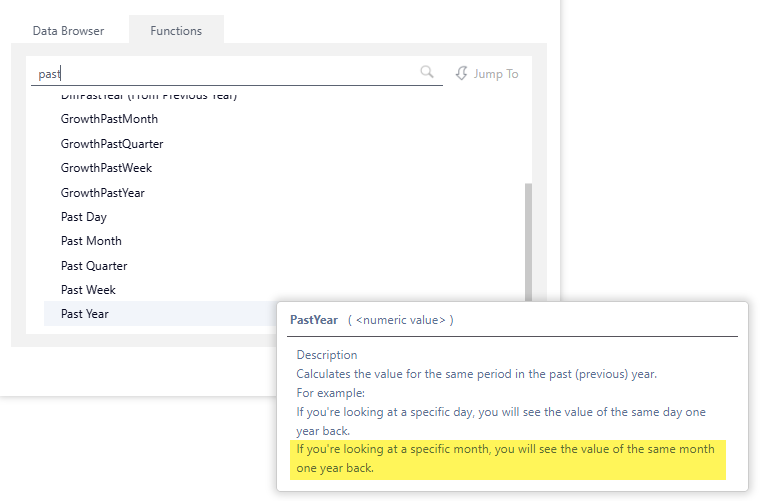
Ashley Hancock totally understand. I suggest you submit a support ticket. This way support can investigate if this is an actual issue or perhaps just unclear docs