Can't see any entries in the Timelog view

Hi,

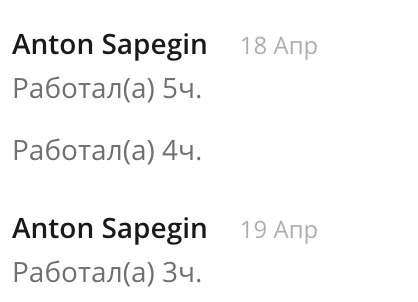
I have a couple of time entries but noone of them shows in Timelog view:

1) 
2)
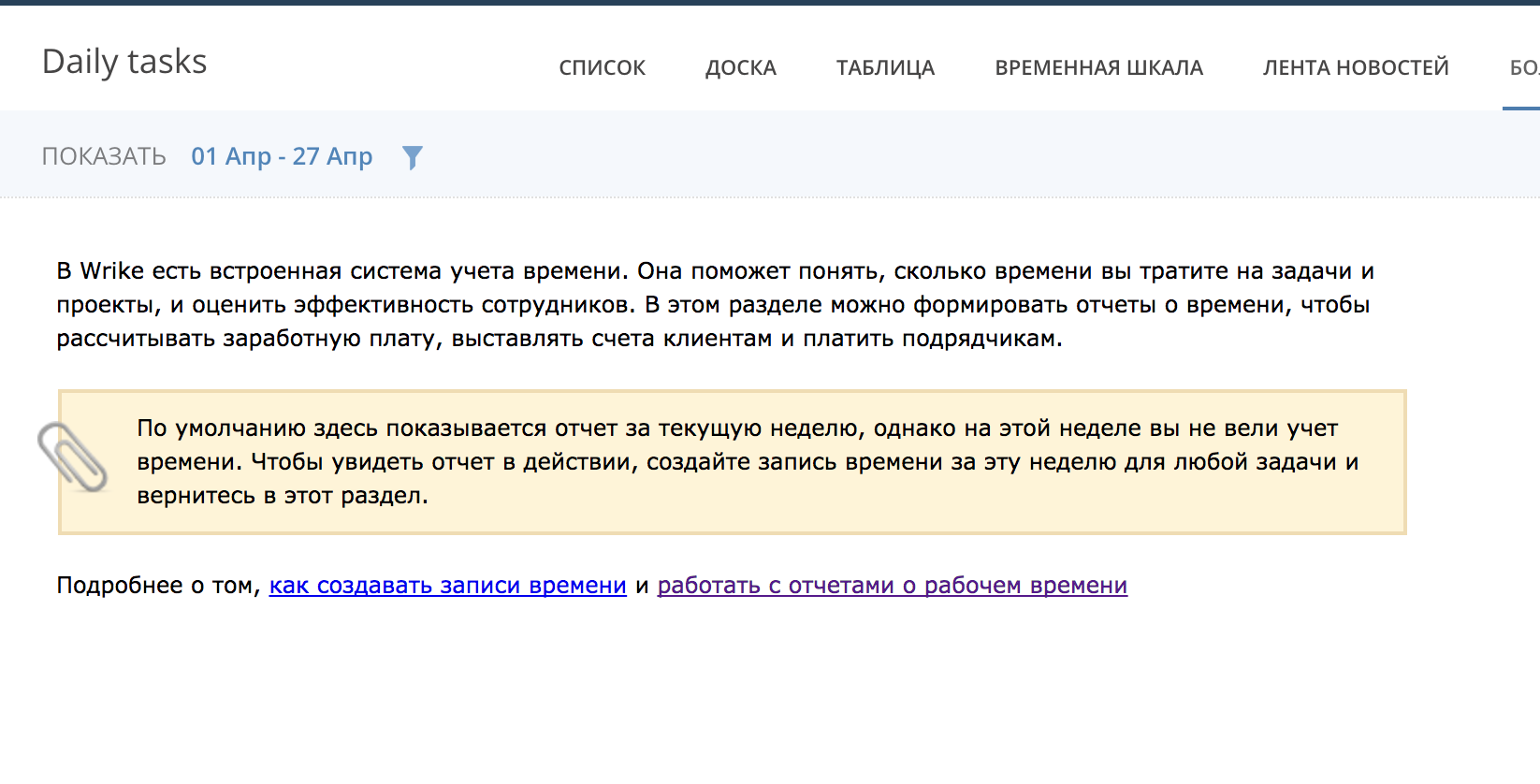
What have I done wrong?


0
👍 Spot On 💡 Innovative Approach 💪 Stellar Advice ✅ Solved 🪄 Remove Kudos
5件のコメント
Avatar
Anastasia

Hi Anton, great to hear from you again! This does seem odd, since the filtering criteria is correct. Something to double check would be whether the task belongs to the Folder you're looking at in the Timelog. Could you please let me know if the task is in the current Folder? If that isn't the case, we can open a Support ticket to investigate this further (and let me know if you'd like to switch to email to continue in Russian too). Looking forward to your reply!

0
👍 Spot On 💡 Innovative Approach 💪 Stellar Advice ✅ Solved 🪄 Remove Kudos

Hi Anastasia,

Yes, the tasks are in the current Folder. So could you please open the support ticket and yes lets switch to email conversation in Russian.

0
👍 Spot On 💡 Innovative Approach 💪 Stellar Advice ✅ Solved 🪄 Remove Kudos
Avatar
Anastasia

@Anton, thanks for following up! I just created the ticket, and our Support Team will be in touch shortly. :)

0
👍 Spot On 💡 Innovative Approach 💪 Stellar Advice ✅ Solved 🪄 Remove Kudos

Hi @Anastasia,  I have some users who having assigned a Task, they can't  register the TimeLog because,  the Task dont show the Timeline Button.. I attached here an image with the problem.

Cant you help me with this problem?

0
👍 Spot On 💡 Innovative Approach 💪 Stellar Advice ✅ Solved 🪄 Remove Kudos
Avatar
Stephanie Westbrook

Hi Nelson, hope you don’t mind if I step in for Anastasia. :) What's most likely happening, it that the people who can’t use the Time Tracker have a Collaborator license in Wrike. Collaborators have limited rights in Wrike: they can’t edit tasks descriptions, change the dates, track the time spent on tasks, etc. Check out this page for the detailed information about what rights Collaborators have. 
 
Could you ask one of your account admins to check whether this is the case? To check who the admin is:
  1.  Click your profile picture in the Workspace’s upper right-hand corner.
  2. Select “View profile”.
  3. Go to “Accounts” tab.
Let me know if this isn't what's happening though, we'll definitely figure it out. 
0
👍 Spot On 💡 Innovative Approach 💪 Stellar Advice ✅ Solved 🪄 Remove Kudos

Folllowing List for Post: Can't see any entries in the Timelog view
[this list is visible for admins and agents only]

トップ

今後のライブセッション

お探しのものが見つかりませんか? 新しい投稿を作成する