Chinese characters displayed in mixed fonts

Since you just announced Chinese version officially, I decided to report this as a bug.
Issue: Chinese characters are displayed in different fonts and look messy.
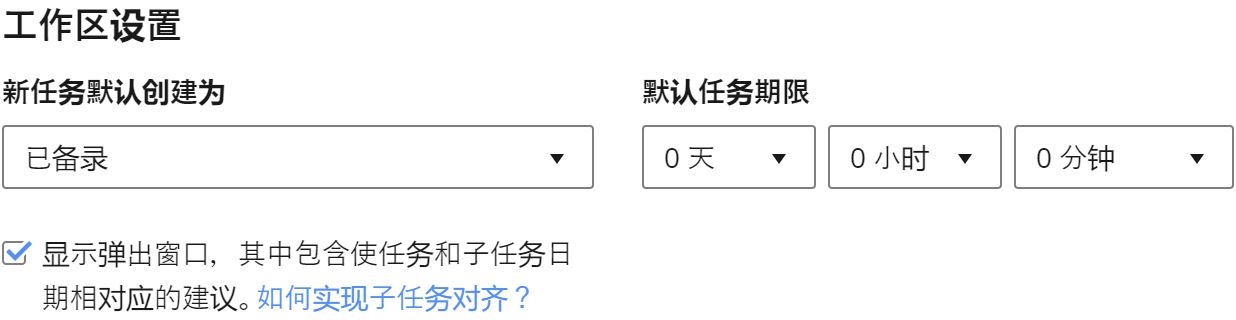
Expected:
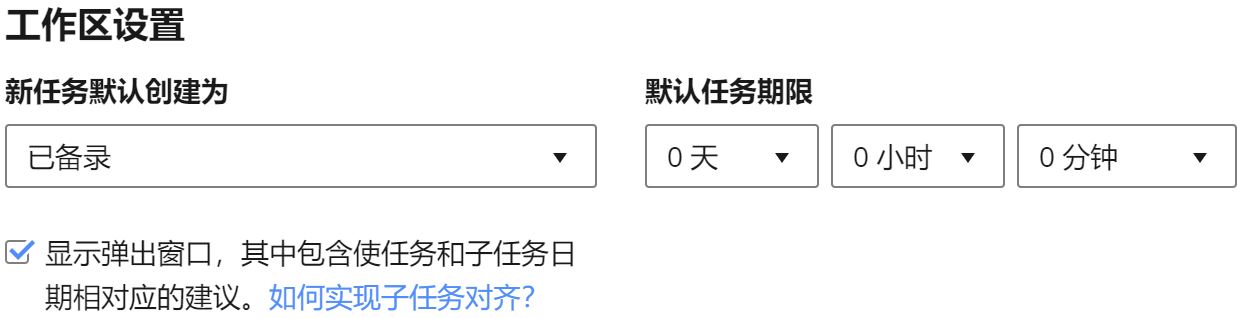
Steps to Reproduce:
- Open Wrike in Chrome on Windows 10.
- Go to Profile settings, switch language to 中文(中国) and save
- Right click on some long Chinese UI text and inspect it
- Check section Computed > Rendered Fonts, you will see something like below:
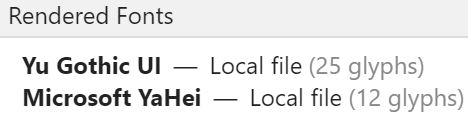
This happens not only to UI texts, but also to user contents. Yu Gothic UI is a Japanese font. Japanese shares some characters with Chinese but not all. In this case, Yu Gothic UI should be prioritized down for Chinese characters to be rendered properly.
It's very useful.