Non-Calendar-Year Reporting Periods and YTD calculations

I work for a company who's fiscal year starts in July. Therefore I want most of my reports to run from July to June. I can achieve this with custom date ranges that then need to be updated each year, or with some trial and error in the advanced json formula spot. But once I have the date range sorted, the "YTDSum" function seems to only recognize a Jan-Dec year, and starts from scratch in the middle of my chart. Does anyone have a clever solution or workaround for this? (or do I need to schedule some extra time for screaming in the fire stairs?)
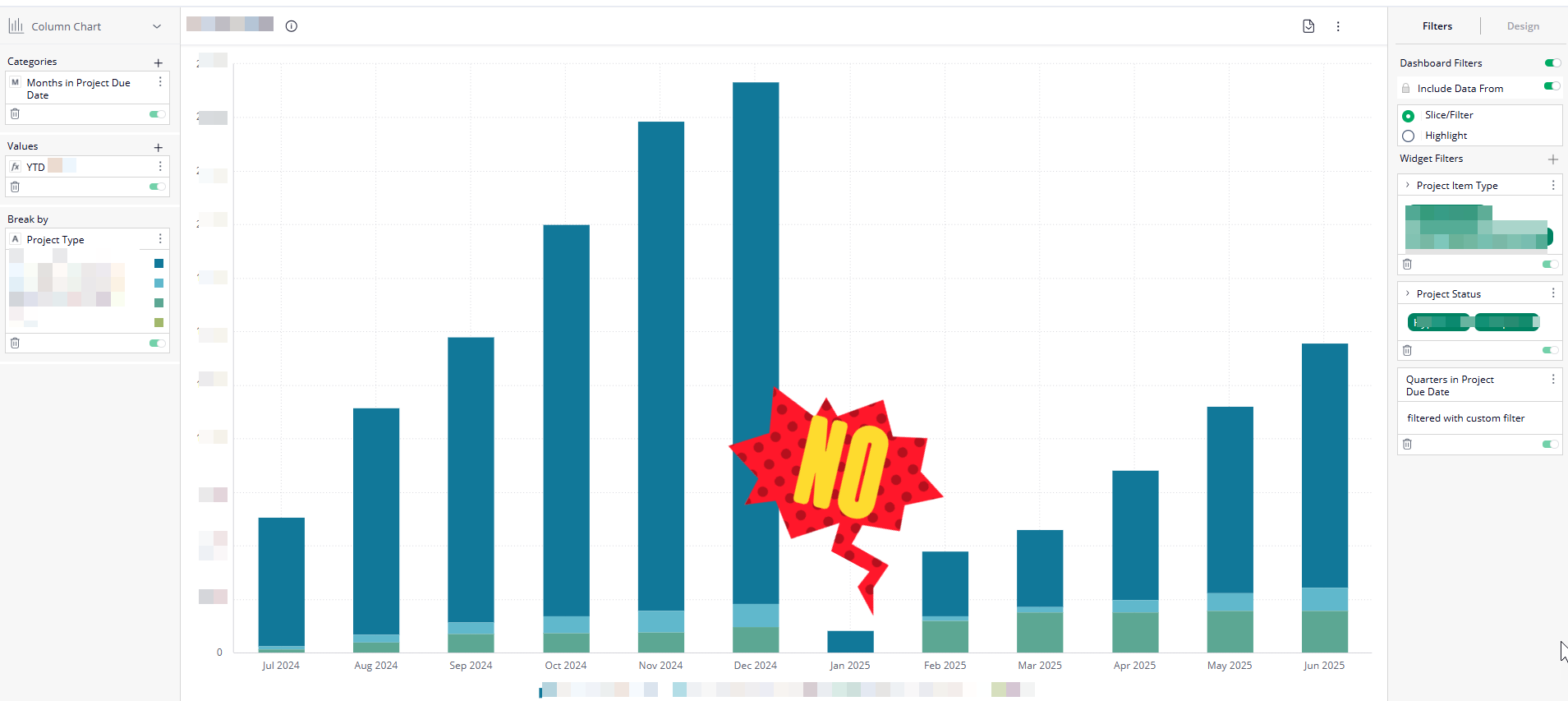
HELP!!!!
Any insights on this conundrum at all? Surely, (don't call me Shirley!) I don't need to export to Excel and perform this basic task do I?
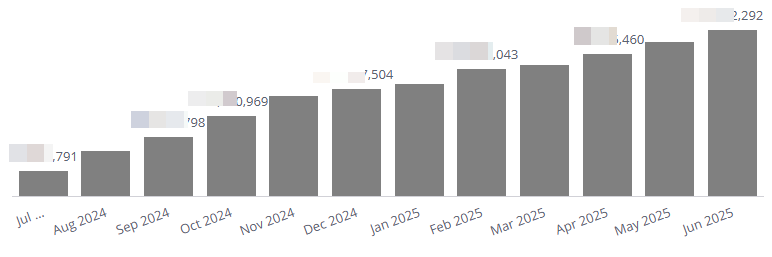
After much sobbing in the fire stairs and yelling at the cat... I figured it out.
How? I'll give you a clue... it has something to do with PIRATES.
Rohan V Community Team at Wrike Wrike Product Manager Become a Wrike expert with Wrike Discover
Rohan V Wrike Team member Become a Wrike expert with Wrike Discover