Custom calculated fields rolling up

I'm trying to find a way to see all tasks for a specific project and date range with these fields
- Time spent (task-level, native field)
- Hourly Billing Rate (task-level, custom currency field)
- Estimated cost (task-level, custom calculated field)
- Actual cost (task-level, custom calculated field)
I know some of these fields exist in Wrike natively, but it's kind of another long story. The short story is that the way they were programmed in Wrike would require us to use utilize the assignee field in order to apply those billing rates which would affect our effort/workload chart functionality.
So my first idea was to just set up a new table view for that project, change to a single list of tasks, then group by user. But what I really need is all the calculated fields to roll up so how much each person cost for that project, and each subtask as a line item. I was hoping to do this without exporting to excel each time.
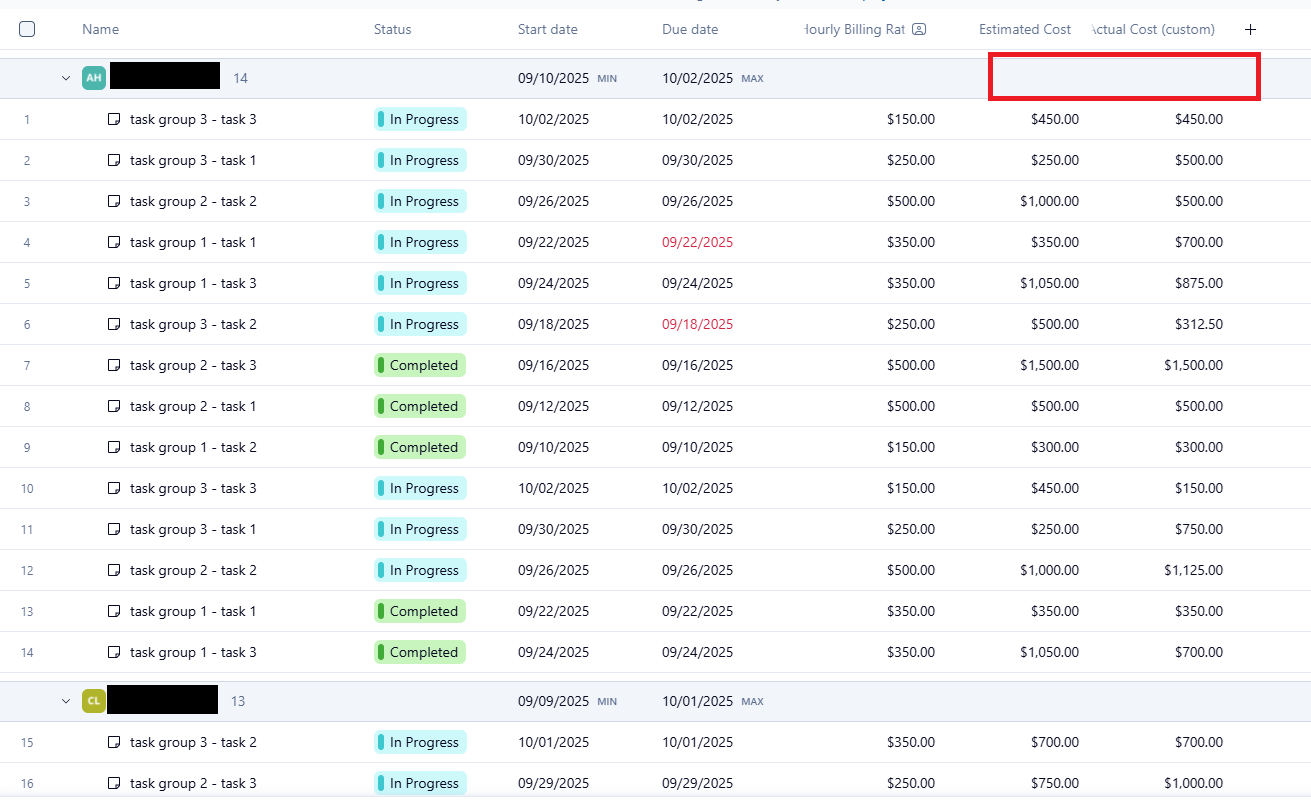
So my second idea was to set up a dashboard. I'd set it up so the source is on the entire account and create a location parameter so you can search for the project. But when I do this, I get the same issue as my first idea.
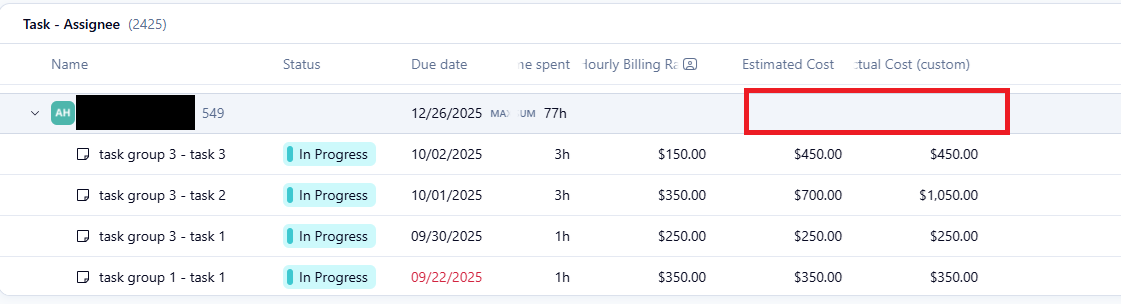
And my last idea was to set up a report. However, I guess you can't pull custom calculated fields into reports; you have to create another custom calculated field specifically for the report (go to the gear, and click the 'Create field' button). This gets a little closer, but still drops the ball. For example, I created a calculated field for [Time Spent]*[Hourly Billing Rate], and it calculates it for all the subtasks, but it doesn't roll up because you can't roll up the hourly rate, so they just end up being $0. 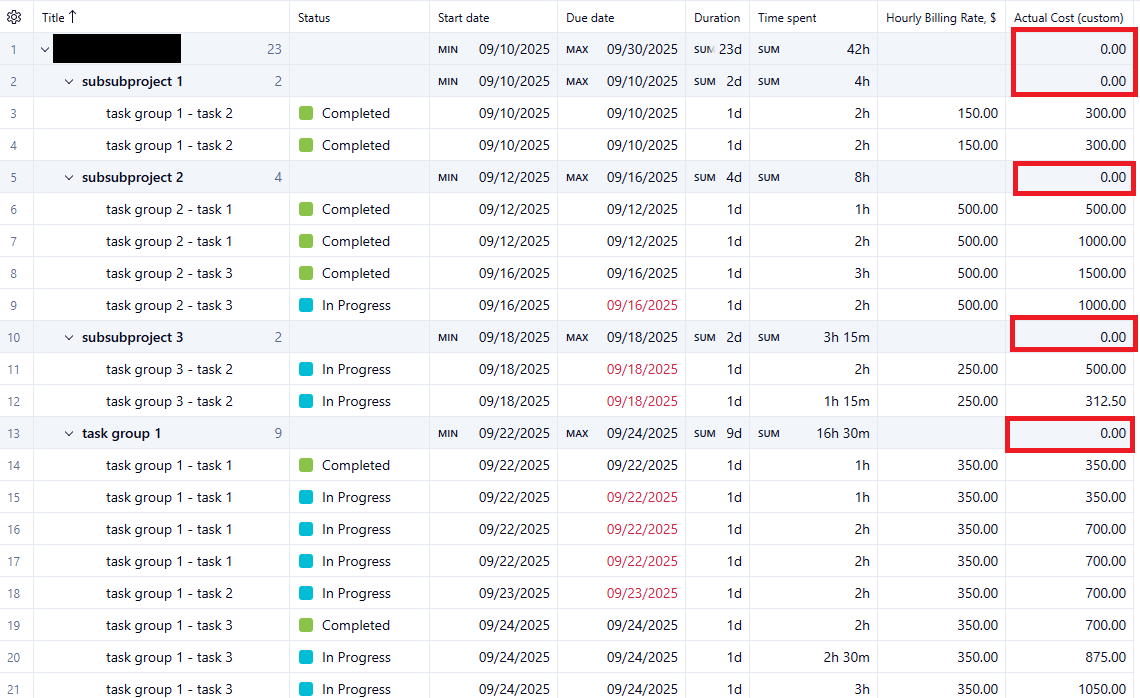
So, I'm at a loss for how I can get aggregated data to show the way I need it to. Hopefully one of you savvy friends have an idea. Many thanks!
Hi Casey Livingood,
in custom fields editing mode you can specify the rollup so you can see values aggregated
Hi Pietro Poli, appreciate your response! Unfortunately, you don't get that option for calculated fields. You only get that option for number or currency fields.
Hi Casey Livingood,
also for formula you can see aggregate data for each project, but you need the data on [Hourly Billing Rate] also on project.
I see better your screenshot and I noticed that each project has [Hourly Billing Rate] empty, so your formula return 0.
You need to use dashboards or Wrike Analyze (if you have it), to sum up this formula fields.