AI Highlights for Dashboard 🧪
Featured
Hello Wrikers! 👋
We’re excited to share an update to your dashboard experience! 📈
Introducing a new widget that offers an instant overview of your dashboard, featuring AI-generated highlights and valuable insights based on your data. This text-based widget is designed for quick and easy reference, enabling you to access key information and insights immediately upon opening your dashboard, without the need to shift through all the details.

Our goal is to create an easy-to-understand narrative that you can use as a takeaway, making it even simpler to stay informed and aligned with what matters most!
You will have the flexibility to remove, reposition, or add this widget again from the new widget section.
🔔 New Update:
We’ve launched customization for AI Highlights! Now you can set exactly what appears in your widget - change the visuals and content using natural language and a simple editor. Preview your changes before saving, tailor insights to your needs, or enjoy the new improved look and accuracy out of the box.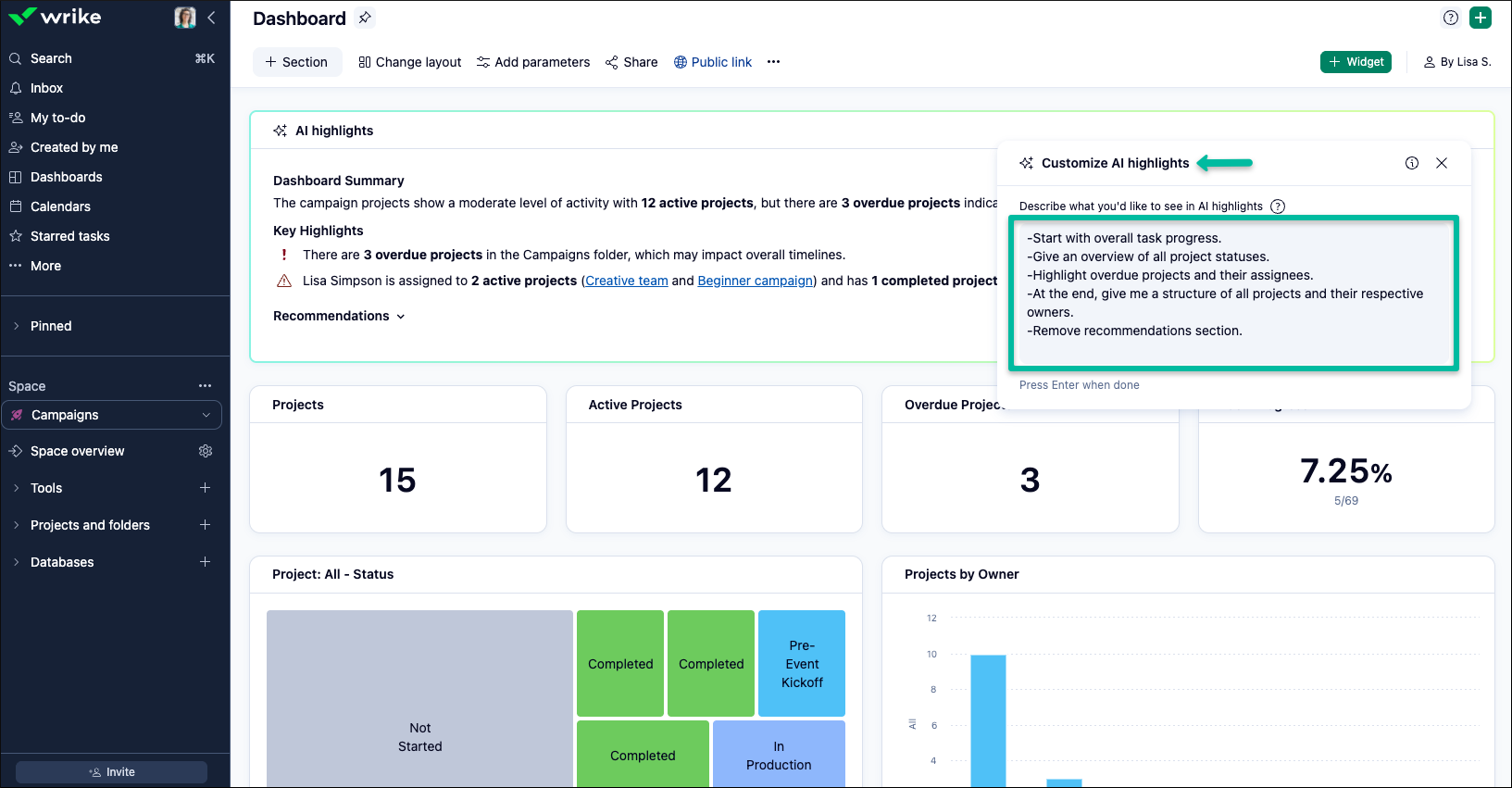
We hope this new feature enhances your dashboard experience and helps you stay up-to-date with your key insights! Do let us know your thoughts in the comments below 👇
Rohan V Community Team at Wrike Wrike Product Manager Become a Wrike expert with Wrike Discover
Rohan V Wrike Team member Become a Wrike expert with Wrike Discover
I'd love to be able to enable this for just myself in order to test it before enabling for the whole account. Is there any way we can do this?
Hi Talia Neal! Thank you for your interest. Currently, the Work Intelligence feature bundle can be enabled for your organization’s account. However, let me loop in our support team to see if it's possible for you to test it before enabling. 😊
Basudha Sakshyarika Community Team at Wrike Wrike Product Manager Become a Wrike expert with Wrike Discover
Basudha Sakshyarika Wrike Team member Become a Wrike expert with Wrike Discover
Rohan V We still need to see if and how this feature will help us. What is noticeable is that IA highlights don't update when setting another parameter, for example, a different assignee.
Hi Jacco Stam thank you for bringing this to our attention and for providing the details. We’ll make sure to share this with the relevant team 👍
Rohan V Community Team at Wrike Wrike Product Manager Become a Wrike expert with Wrike Discover
Rohan V Wrike Team member Become a Wrike expert with Wrike Discover
Rohan V Do you have any updates? While I love the idea of using the AI highlights in a widget, we use a singular dashboard and utilize the parameters to filter for specific project information, so we can't use this feature.
Hi everyone,
we have a long list of upgrades for the widget, including more interactivity, links to items mentioned in the text, better understanding of your data, etc.
As for parameters, thank you for bringing it back to my attention - we will address it in September I am hoping. But already now, when you set your parameter and force refresh the page, it should reflect the correct setup.
Best,
Michael, PM for Analytics