Dashboards Column Widths and Export to Excel

Hi There,
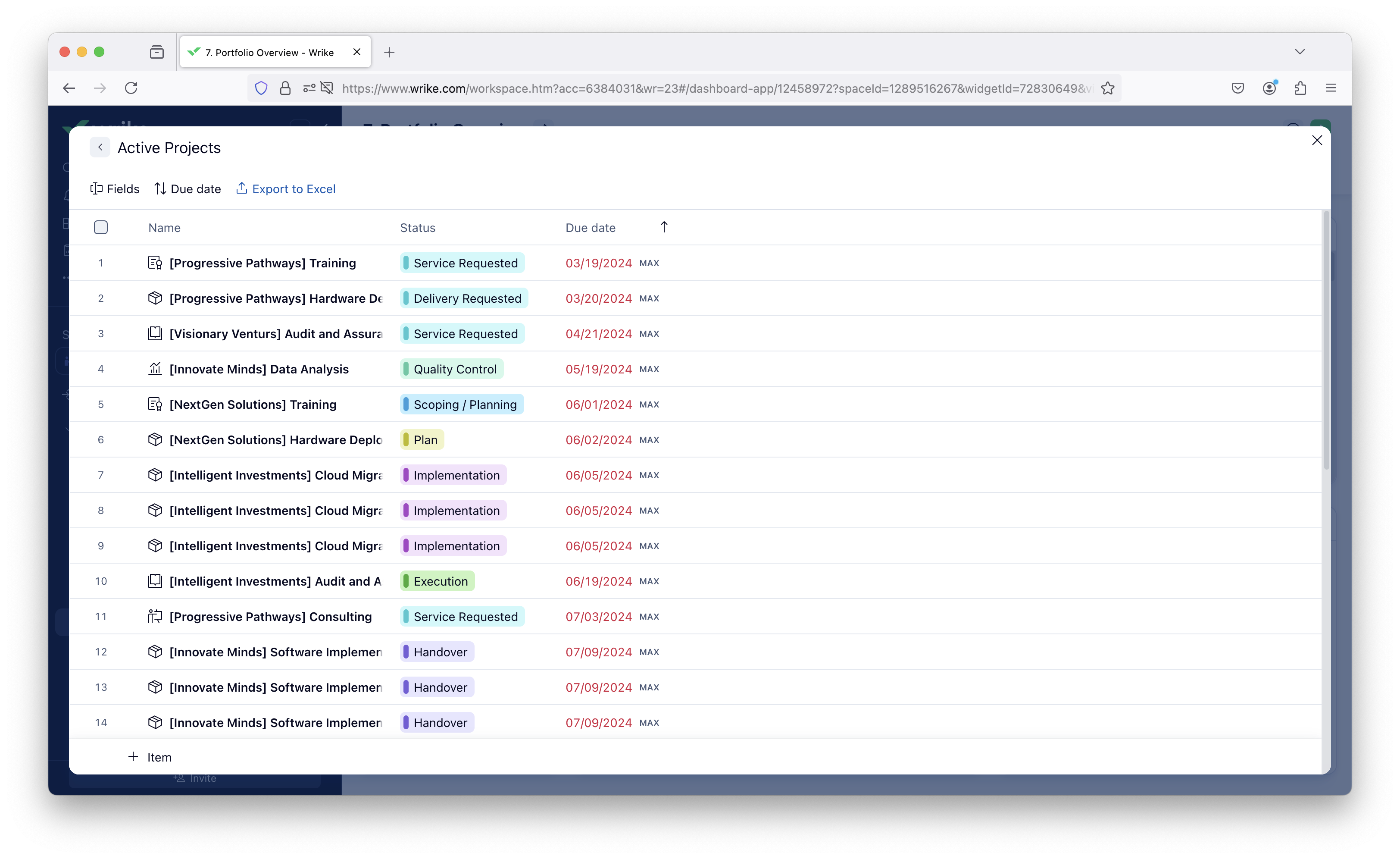
We have many cases where we use the table or pivot table widget in dashboards and we can't change the column length to show the full name of a project so it makes it very difficult to use the rest of the data if one can't clearly see the name of the project. Can this either be auto sized or allow for sizing and actually saving that sizing?
When can we export to excel from a table widget?
Regards,
Irene
Hi Irene Snyman, they recently released the ability to wrap text in the different columns of the dashboard widgets. Click the Horizontal dots on the column header and select Wrap Text. Note: This is the functionality in the New Dashboards, I don't know if this is possible in the older version of dashboards.
Irene Snyman, I would second Ashley and suggest trying Wrap Text option first. It has also been possible for a while to export table widget into XLS in the Full Screen mode. Finally, the columns widths you configured should be preserved.