How to import checkboxes in the description via a .xlsx

Hello,
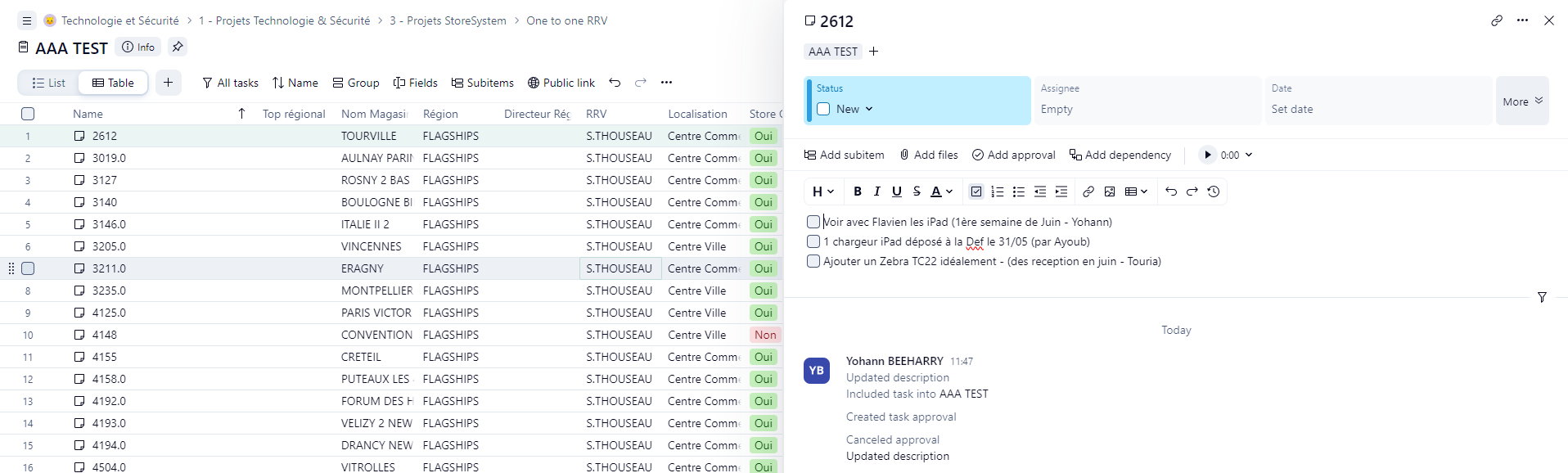
I need to import a checklist into a description via an excel file.
Could you tell me how to write it so that in the description wrike understands that it's a checklist?
It looks like we don't have the translated page you're looking for, but we do have other content in English and offer support in English.
What can we help you with?
Learn. Share. Discuss.
Hello,
I need to import a checklist into a description via an excel file.
Could you tell me how to write it so that in the description wrike understands that it's a checklist?
Folllowing List for Post: How to import checkboxes in the description via a .xlsx
[this list is visible for admins and agents only]
Hi Yohann,
We've had to do this before and to make things easier, we've just copy/pasted the text from the Excel file into the description, highlighted the text and used the Wrike AI functionlity to automatically create sub-tasks from the highlighted text. This creates a checklist with each item in the description as well as turns each item into a sub-task under the main task.