Version history/"Upload new version" equivalent for website links

Our team works a lot with "adding" and reviewing website links. It would be convenient if, much like uploading a new version of an image or PDF, we could make updates to website link's URL while preserving comments and approvals/rejections from previous review cycles.
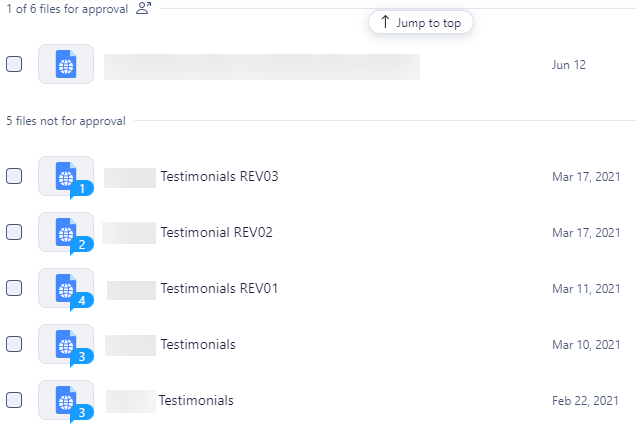
Since any new URL needs to be added as a separate website "file", our team typically tries to avoid making changes to the file's URL for the duration of the project, so as to not clutter and confuse the task.
Example attached is of an older task with this issue: the 6 files shown (links to preview/staging sites) are for the same deliverable.
Hi Mona Li, welcome to Wrike's Community 👋
Thank you for submitting your suggestion here, we will now share it with the responsible team.
You can read this post to learn how we work with Product feedback 📌 And if you'd like to discover what this Community has to offer, I'd recommend checking our our New to Community forum 🙂
Lisa Community Team at Wrike Wrike Product Manager Become a Wrike expert with Wrike Discover
Lisa Wrike Team member Become a Wrike expert with Wrike Discover
this would be super useful for us as well!
Hi Eliza Barry, welcome! Thank you for sharing your feedback with us, I've passed it on to our Product Team 👍
Please, feel free to visit our New to Community forum to get the most out of your experience with our Community 🙂