Supercharge Your Onboarding: Empower New Users with Wrike’s Latest Features
Mostrada Destacada
Hello Wrike Admins! 👋
If you’re here, it means you’re one of the driving forces behind Wrike’s success in your organization. This space is all about empowering you—our admins and champions—to create an outstanding experience for every new user who joins your workspace.
Onboarding new users is a critical step in ensuring they quickly adapt to Wrike and start contributing effectively. As admins and champions of your Wrike account, you play a pivotal role in shaping the onboarding experience. Wrike’s newest features are designed to help you streamline this process, making it easier than ever to set new users up for success.
Let’s dive into how these powerful tools and some practical suggestions can supercharge your onboarding process.
1. Welcome Items: A Perfect Starting Point
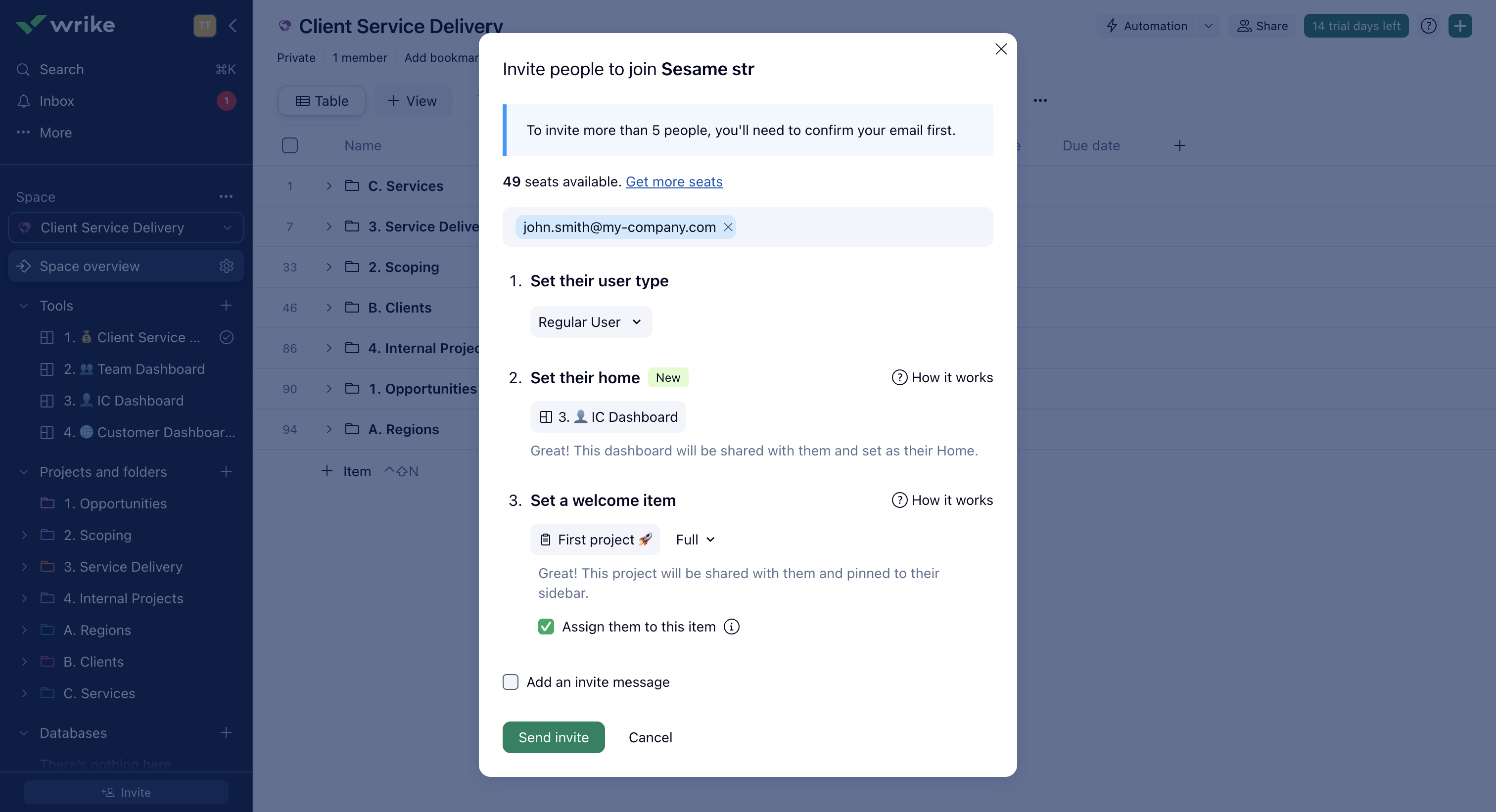
First impressions matter. With Welcome Items, admins can assign work directly in the invitation dialogue. This means new users won’t just join Wrike—they’ll step into a workspace with clear tasks waiting for them. Whether it’s onboarding projects, team goals, or initial assignments, Welcome Items provide clarity and direction from day one.
2. Admin-Configured Home Dashboard: Navigate with Confidence
Earlier this year, Wrike introduced customizable Home Dashboards, allowing users to set their preferred dashboard as their default home. Now, admins can take this one step further by pre-configuring Home Dashboards for new users.
Admins can assign a tailored dashboard either during the invitation process or at the User Group level, helping new users stay organized and on top of their tasks from the moment they log in.
3. Invitation Settings on User Group Level: Set It and Forget It
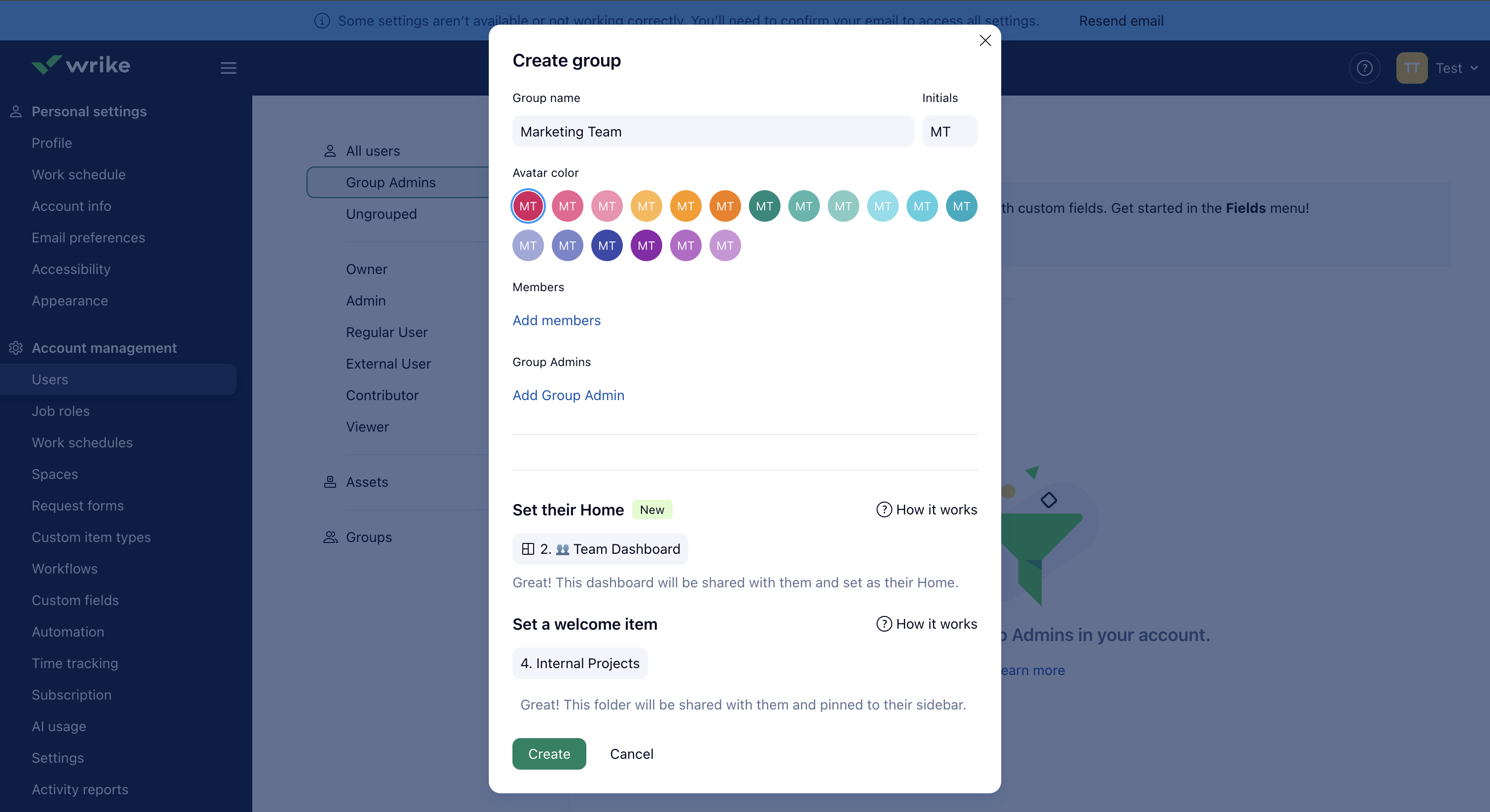
Simplify onboarding with User Group-level settings. Admins can configure both Welcome Items and Home Dashboards for entire user groups, ensuring consistency across teams.
Here’s how it works:
- Add a user group (e.g., Designers, Sales, Marketing) to an invitation.
- The new user inherits the group’s Welcome Items and Home Dashboard.
- If specific items or dashboards are added in the invite dialogue, both the group-level and invite-level settings will be visible under the Shared with Me section.
This “set and forget” approach saves time and ensures every user gets the right tools tailored to their role.
4. Bringing It All Together: A Unified Onboarding Experience
Imagine onboarding multiple user groups—Executives, Designers, Marketing, Sales—all with unique needs. Wrike’s features make it easy to create a customized onboarding experience:
- Assign onboarding projects to relevant user groups.
- Configure Home Dashboards for each group to match their workflows.
- Add the group to the invite, or directly assign Welcome Items and dashboards during the onboarding process.
- Existing users without a Home Dashboard will also inherit the group’s Home Dashboard, ensuring consistency across the team. Any subsequent changes to the group’s Home Dashboard will automatically apply to all members, simplifying change management and ensuring users always have the latest setup.
The result? New users enter Wrike with everything they need to hit the ground running: their Home Dashboard set, relevant onboarding projects assigned, and clarity on their next steps. Meanwhile, existing users benefit from streamlined updates to their workspace, making Wrike a dynamic and adaptable environment for everyone.
Suggestions to Get Started
To make the most of Wrike’s onboarding features, here are some practical tips to help you get started:
- Create Onboarding Projects: Build projects complete with training links, company resources, and Standard Operating Procedures (SOPs). This gives new users a clear plan ahead and removes uncertainty, ensuring they feel confident and equipped from day one.
- Set Up Personal Task Tracking Dashboards: Design dashboards tailored to each team and profile. Configure them to pull data from relevant Spaces, so users can easily track their tasks and progress.
- Pick a Team and Start Small: Run a pilot with one team by collaborating with their manager. This allows you to refine the onboarding process based on real feedback and tailor it to your organization’s needs. Once perfected, replicate it across other teams.
- Track Progress and Optimize: Onboarding is not a one-size-fits-all process. Use Wrike to track how new users are adapting and optimize based on their preferences. Wrike is your playground—experiment and refine until you find a process that works best for your organization.
Wrike Onboarding Made Simple
With these new features and actionable suggestions, Wrike empowers admins to deliver a seamless onboarding experience for every user. Whether you’re managing a small team or a large organization, these tools ensure new users feel confident, organized, and ready to contribute from day one.
Ready to supercharge your onboarding? Log in to Wrike, create onboarding projects, configure dashboards, and start tailoring your process today!
Your new hires deserve the best start. Wrike gives you the tools to make it happen.
Thanks for this overview!! We have recently started building blueprints for checklists for Managers for onboarding new staff members as well as one for the new team member to follow. the manager's checklists start a couple of weeks prior to the commencement of the new staff member to ensure everything is ready. and as mentioned above we track all the progress on a dashboard to create a smooth transition for the new team members. Bringing all of this into Wrike has really helped us stay on track and it's also a great way to get the new staff member to start using Wrike.
Can you share a sample as a best practice?
Hi Susan McConnell
Thank for your question.
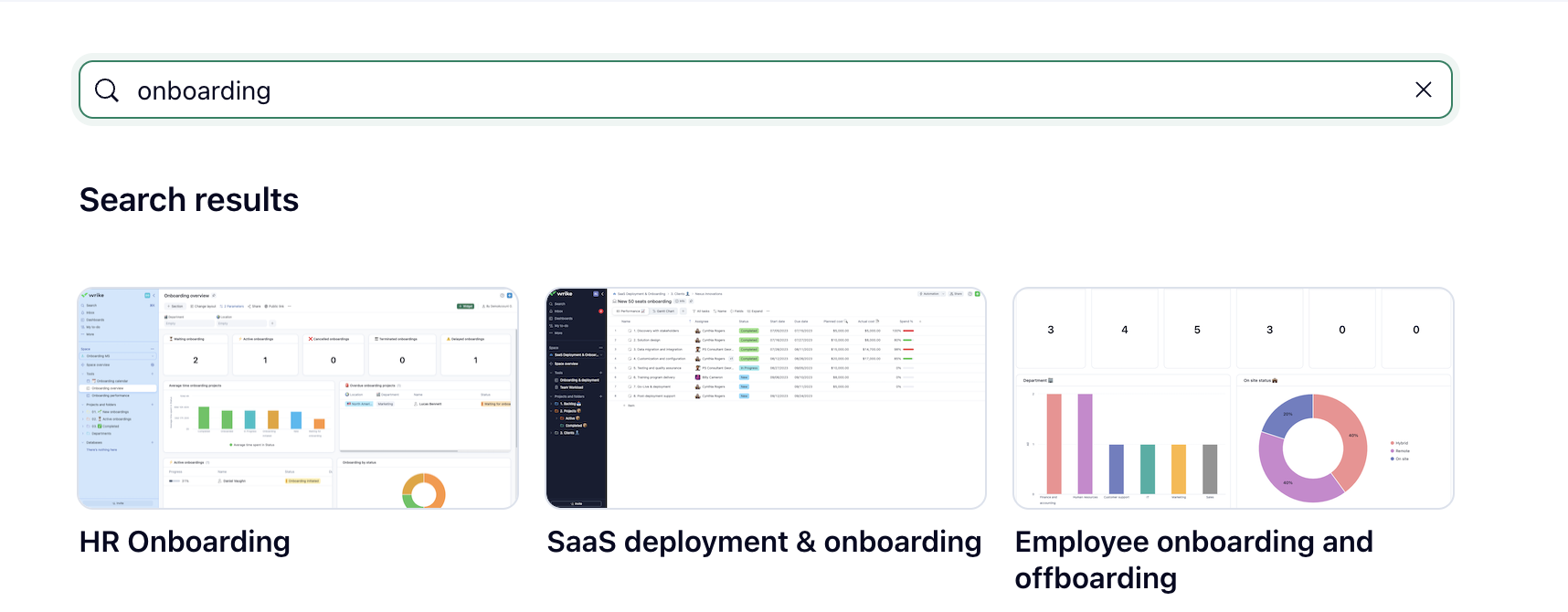
Currently we have 2 templates in the gallery related to Onboarding which could be utilised. They might not match your exact requirements but could provide a structure. I would advise to create a separate space that is used to onboard people on to Wrike(Onboarding Space)
Here is how I would go about it:
Hope this helps! Feel free to ask any more questions and I would be happy to provide further details.