Can't resize column width in chart widgets?

Is it not possible to adjust the width of a column in a dashboard chart widget?
Currently my widget looks like this, and most of the project names are cut off because I can't resize the column despite the huge amount of empty space in the widget. The only option I see is to wrap the text, which looks even worse.
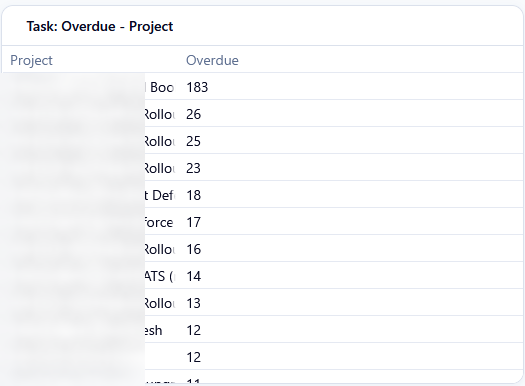
I really need an option to manually resize columns in widgets. It would also be nice to be able to add additional fields. Each of these projects has an assignee, and it would be nice to be able to list who that is next to the count of overdue tasks for each project.
Rohan V Community Team at Wrike Wrike Product Manager Werden Sie ein Wrike-Experte mit Wrike Discover
Rohan V Wrike Team member Werden Sie ein Wrike-Experte mit Wrike Discover
I will add this to our backlog regarding the pivot table, we will work on it. Thansk, Michael, PM for Analytics
Michael Minovsky Community Team at Wrike Wrike Product Manager Werden Sie ein Wrike-Experte mit Wrike Discover
Michael Minovsky Wrike Team member Werden Sie ein Wrike-Experte mit Wrike Discover