Creating subtasks when custom field value changes for NEW values only.

We are preparing to launch a company-wide request process in Wrike. When ideas are submitted, they will go through an approval workflow. As part of this process, different departments will be assigned to the project using a multi-select custom field.
Our goal is to automatically generate subtasks for each department by leveraging a departmental blueprint. Using the automation feature, I set it up so that when departments are added, the system automatically generates the corresponding subtasks.
However, I encountered an issue: if departments are not selected all at once, the automation duplicates itself. Each time a new department is added later, the automation creates another set of subtasks for departments that were already selected.
What we need is a way for the automation to run only once per department, regardless of when it's added. This would prevent unnecessary duplication and ensure a more streamlined process. If this can't be done, we will have to manually add all subtasks in.
Hi Ashley Fischer,
have you tried to divide blueprint tasks in single task and add a specific automation for each department.
In this way you can control each subtask created.
I know it requires additional work by your side to manage all single tasks and automation but is the only way to achieve with Automations Tool.
Otherwise you need to use something like Wrike Integrate
Hi Pietro Poli that is how I had it set up. The issue is that if we initially look at the request and say it only needs to be looked at by the engineering department, we would update the department field to "engineering" and the proper subtask is created. However, if we then realize that another department will also have a task within the project and add it to the department field (for example Risk Management), the engineering subtask is created again instead of just generating the new subtask for the Risk Management Team.
Hey Ashley Fischer, please let me know if you'd like our Support team to look into this. They can test it out and give suggestions. I can raise a ticket for you if you're interested. Thank you! 😊
Basudha Sakshyarika Community Team at Wrike Wrike Product Manager Torne-se um especialista em Wrike com o Wrike Discover
Basudha Sakshyarika Wrike Team member Torne-se um especialista em Wrike com o Wrike Discover
Hi Ashley Fischer,
can you show us your automations?
I don't know if it's resolvibile.
If Basudha Sakshyarika find a solution I'm interested in.
Pietro Poli & Basudha Sakshyarika Here is what I had set up - there would be one for each of the departments.
And this works, as long as all departments are added at the same time. So, if 3 departments were selected at once, then all 3 subtasks were created. However, if they are added at different times, some of the subtasks are duplicated.
Basudha Sakshyarika I would love it if the support team could take a look!
Hi Ashley Fischer, Stepping in for Basudha here. I'm raising a support ticket now. One of our experts will get in touch with you shortly 🙂
Rohan V Community Team at Wrike Wrike Product Manager Torne-se um especialista em Wrike com o Wrike Discover
Rohan V Wrike Team member Torne-se um especialista em Wrike com o Wrike Discover
Hi Ashley Fischer the problem is with filter condition
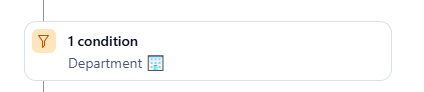
I think that it doesn't work if you have 2 different departments assigned.
HI Pietro Poli I have one automation for each of the departments that could be chosen since each department would need a unique subtask. The issue is that it regenerates subtasks if the departments aren't all added at the same time.
hi Ashley Fischer, now I get it.
You need to create different automation for each combination, but I think is not achievable and scalable.
By using Integrate you can achieve it.
Thank you Pietro Poli I met with management this morning and we are going a different direction. Thank you for your feedback!