Approval button in the Android and iOS app for the smartphone

Hi,
At the moment, people who need to approve weblinks are only possible to do this via the browser or the Wrike desktop app. Approval via the Android app or iOS app is not possible. Furthermore, the "Changes required" and "Comments" functions are also missing here. For my colleagues who work remotely, this is very complicated. Because they need a laptop in addition to the smartphone just to be able to approve the weblink.
It would be very useful to have this functionality in the future.
Thank you very much. 😀 🙏

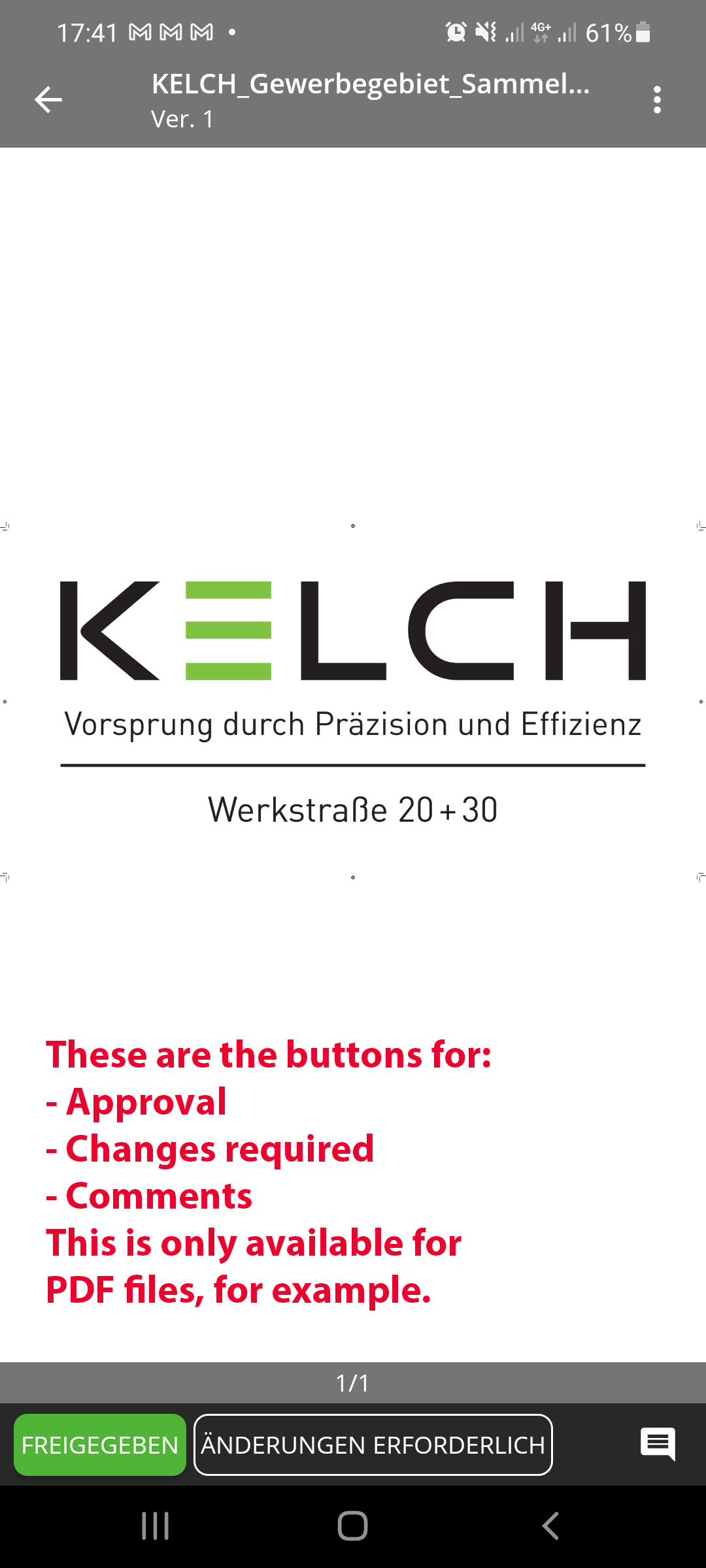

Yes - the approval button should be visible/usable for all approvals in any case in the mobile apps
Thank you for this feedback here, folks, it's been passed on to our Product Team.
Please let me know if I can help you with anything else!
Lisa Community Team at Wrike Wrike Product Manager Torne-se um especialista em Wrike com o Wrike Discover
Lisa Wrike Team member Torne-se um especialista em Wrike com o Wrike Discover
I think this is available now, but project approval should also be made possible in the app. Can you share this with the product team as well?
Absolutely! Will do Jip van Seeters 👍
Lisa Community Team at Wrike Wrike Product Manager Torne-se um especialista em Wrike com o Wrike Discover
Lisa Wrike Team member Torne-se um especialista em Wrike com o Wrike Discover
I second this! The way that my organization creates projects within request forms, it kickoffs for "approval" from team members, which is used as a way to give various team members visibility into the project. This would be great to have this functionality in the app, as certain team members do use the app often and having to wait to approve within the browser/desktop app is not ideal.
Thank you for adding your vote and for sharing the details about your use case Judy Feldmeier 😁